Ordrili
Early access · Built in Algeria

One system for your whole restaurant

Table tablets, self-order kiosks, kitchen and waiter screens, phone orders and payments — all in sync, so your team runs smoother and your guests leave happy.

  • Every role covered
  • العربية · Français · English
  • Keeps working offline
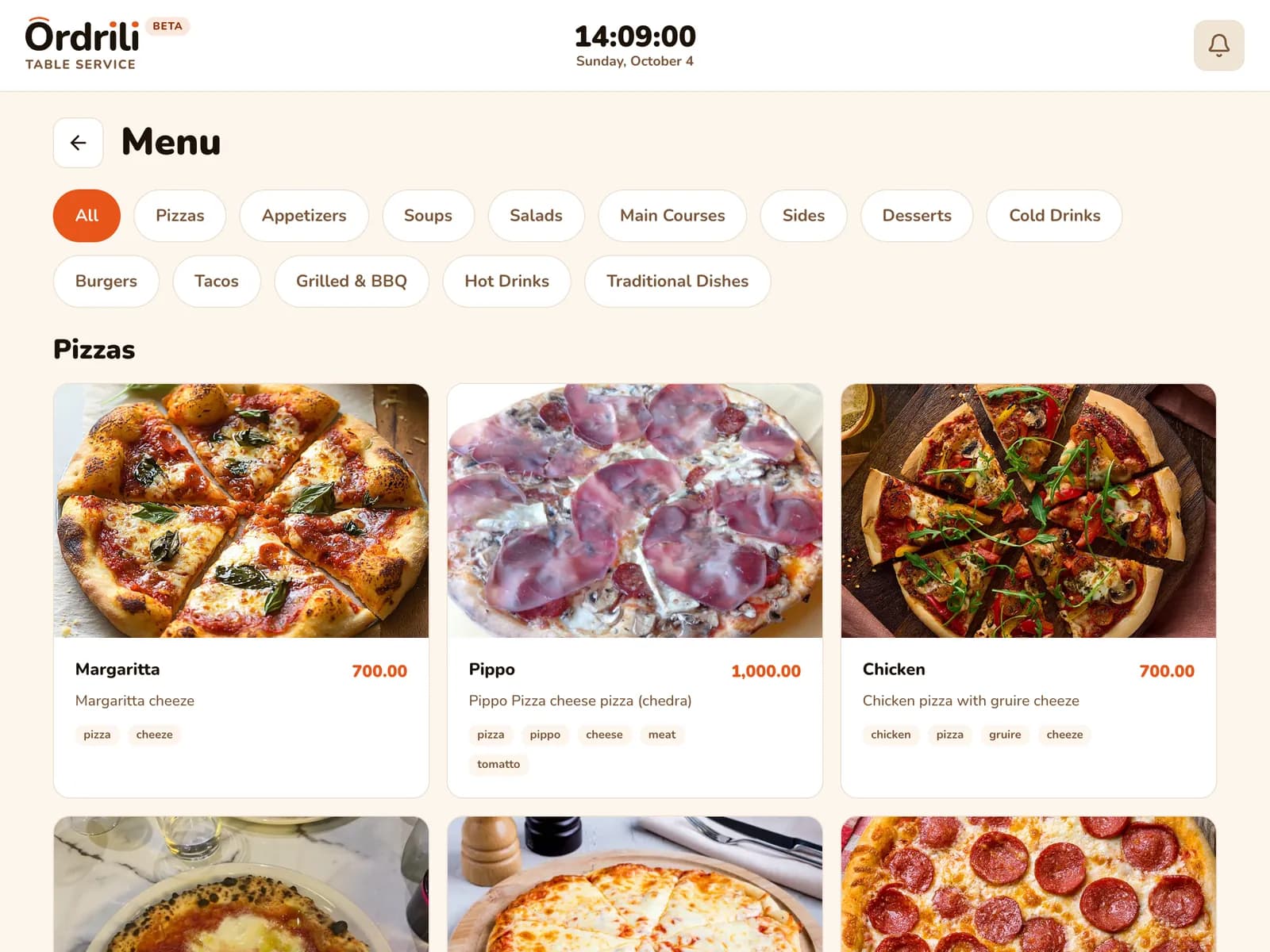
Guest menu on the table tablet
Who it’s for

Made for every kind of food business

Pick the pieces you need — Ordrili fits a small café as well as a busy full-service restaurant.

Café

Fast counter service with a name on every cup.

  • Self-order kiosk for the morning rush
  • Takeaway orders with the guest’s name
  • Queue screen calls out ready orders
  • Drinks go straight to ready — no kitchen step
For your guests

Ordering that doesn’t wait for a waiter

Your guests order from the table, at the counter or on their phone — and always know where their food is.

Table Tablet — guests order from their seat

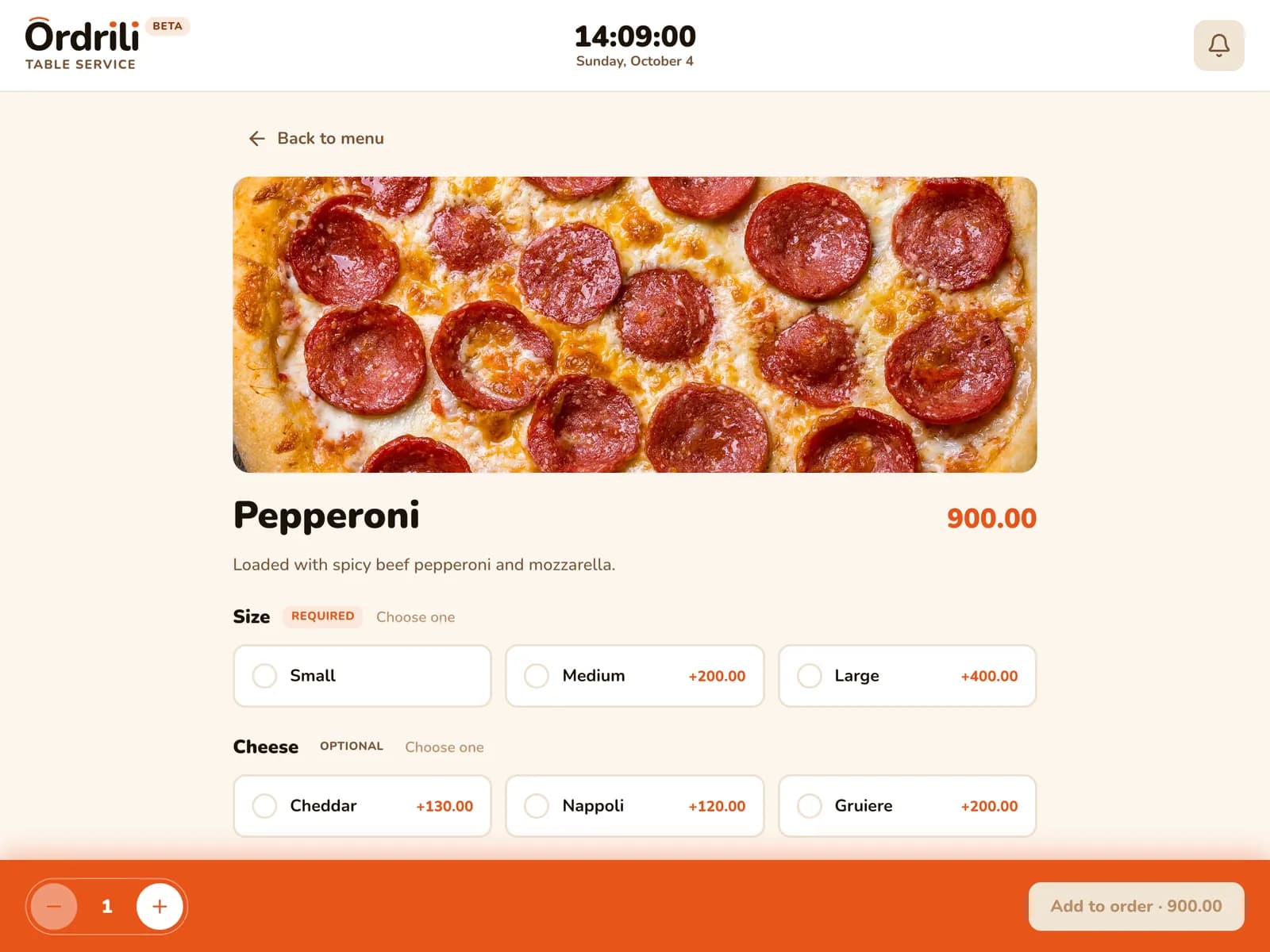
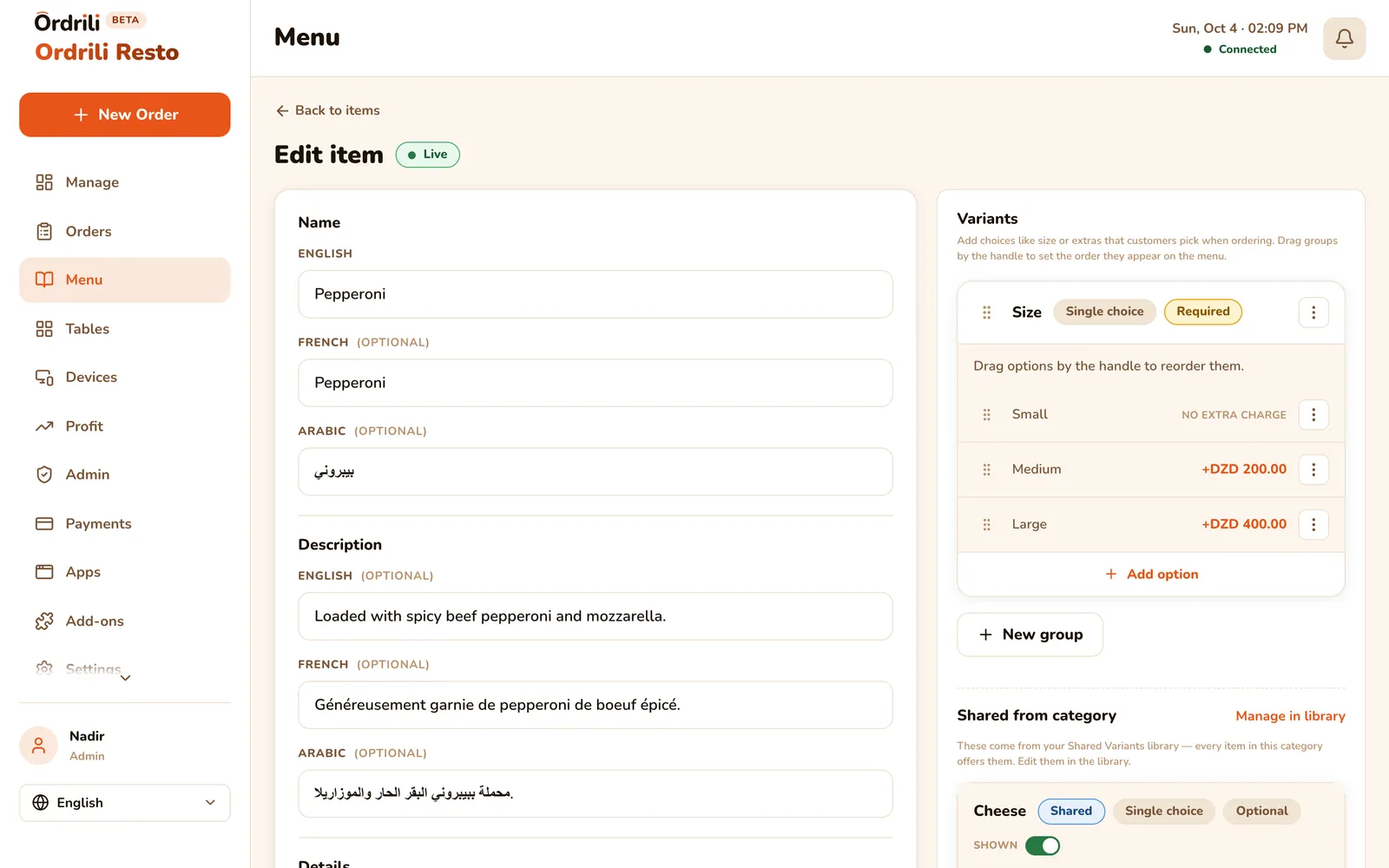
A tablet on every table shows your menu with photos. Guests choose sizes and extras, add a note, and send the order straight to the kitchen — no waiting to be noticed.

  • Menu with photos, sizes, extras and notes
  • Each guest picks their seat on a shared table
  • “My orders” shows every order’s progress live
  • One tap to call the waiter
Learn more
Table tablet — menu with photos and a cart

Self-Order Kiosk — skip the line

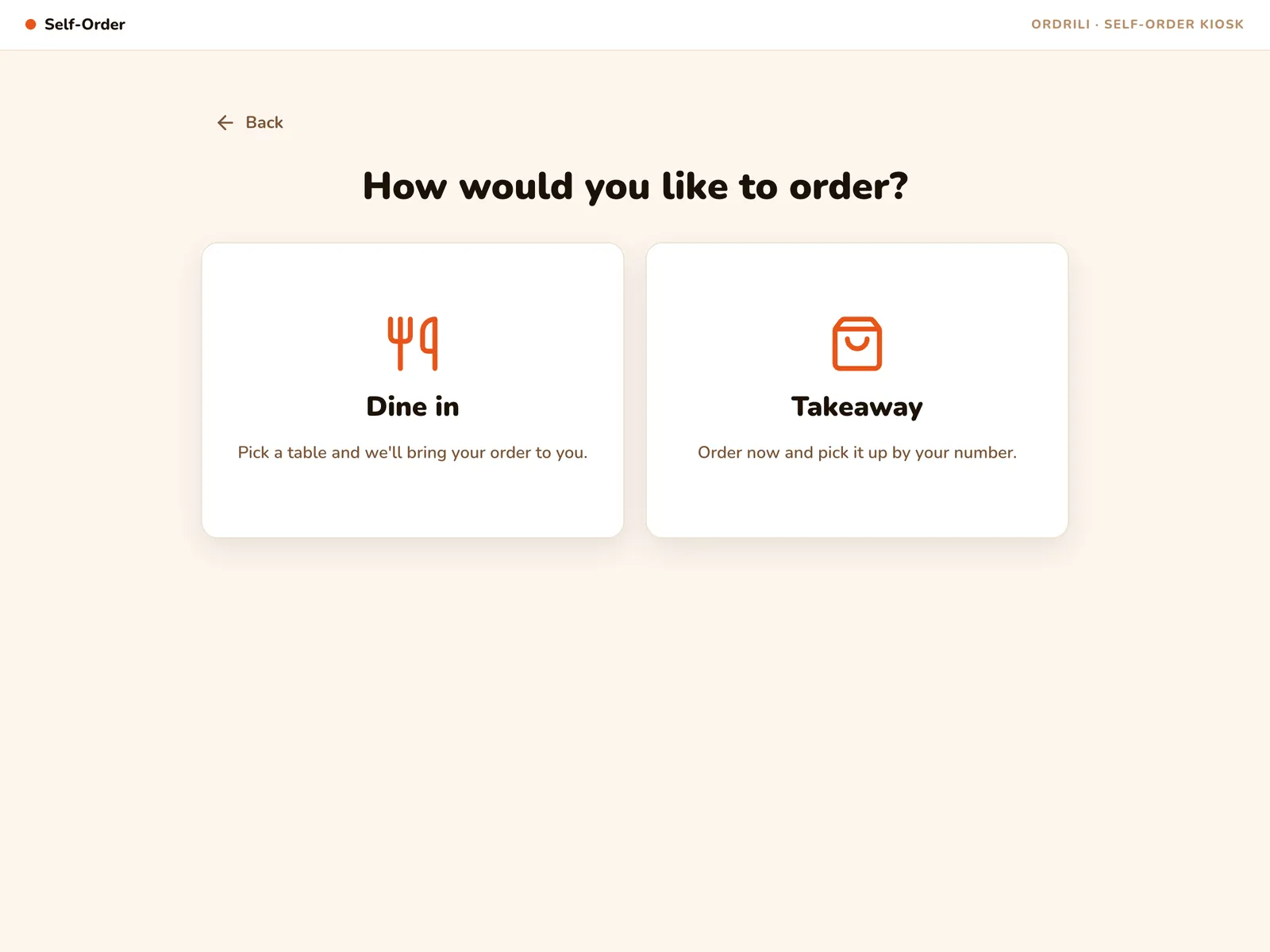
Guests order at the counter on their own: dine-in at a free table or takeaway with their name on the order. They get an order number and ticket, and the kiosk resets for the next person.

  • Dine-in at a free table, or takeaway
  • “Name on the cup” for takeaway orders
  • “Edit my order” with the order number and a short code — before cooking starts
  • Clears itself after a guest walks away
Learn more
Kiosk — choosing dine-in or takeaway

Roaming Tablet

One tablet your waiter hands to any guest. They order, the waiter takes it back — every order still lands on the right bill.

Learn more
Roaming tablet — menu without a fixed table

Order Queue Board

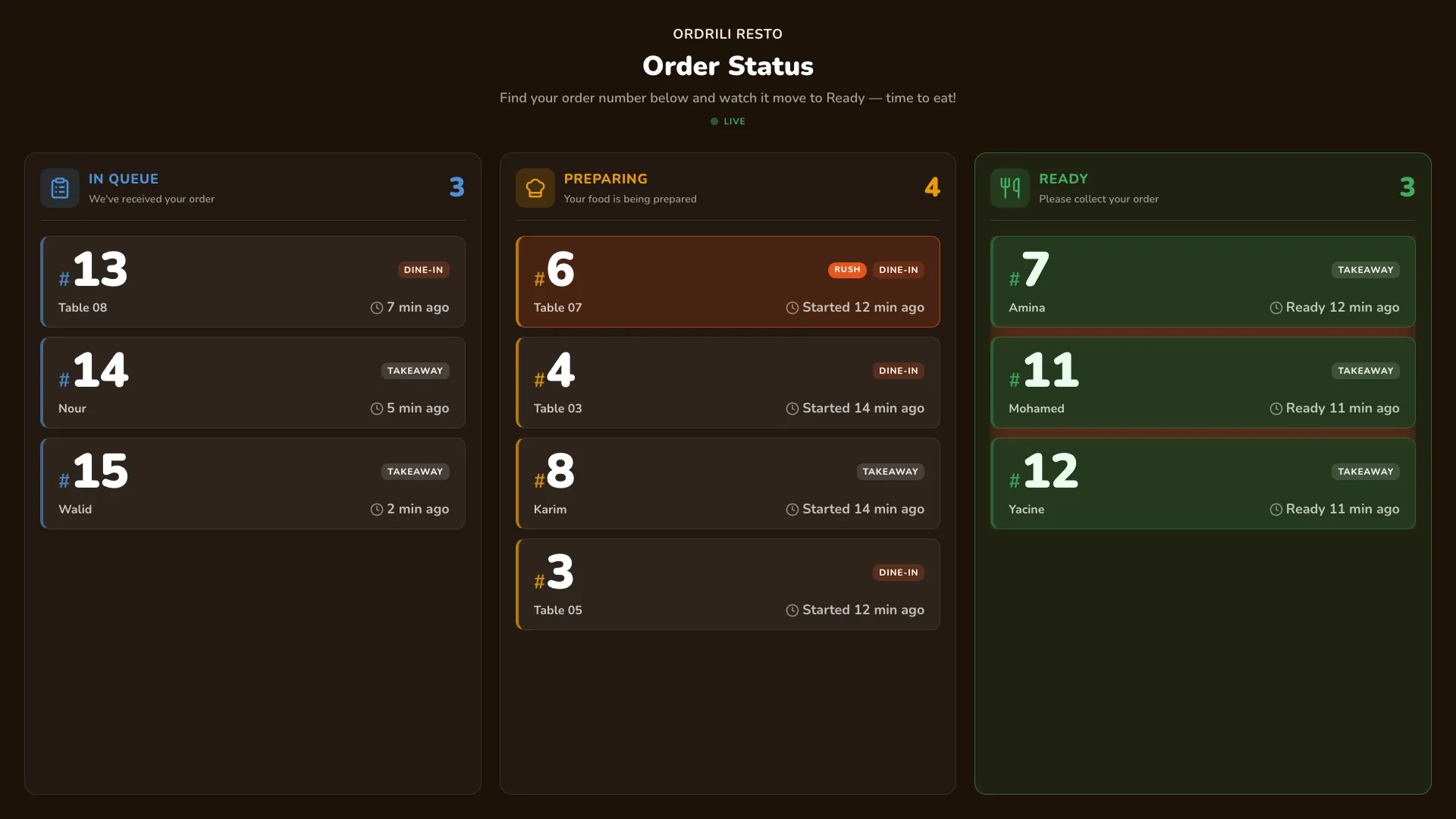
A TV shows order numbers moving from In queue to Preparing to Ready, with a chime when one is ready. No names on screen.

Learn more
Queue board with three lanes

Track by QR ticket

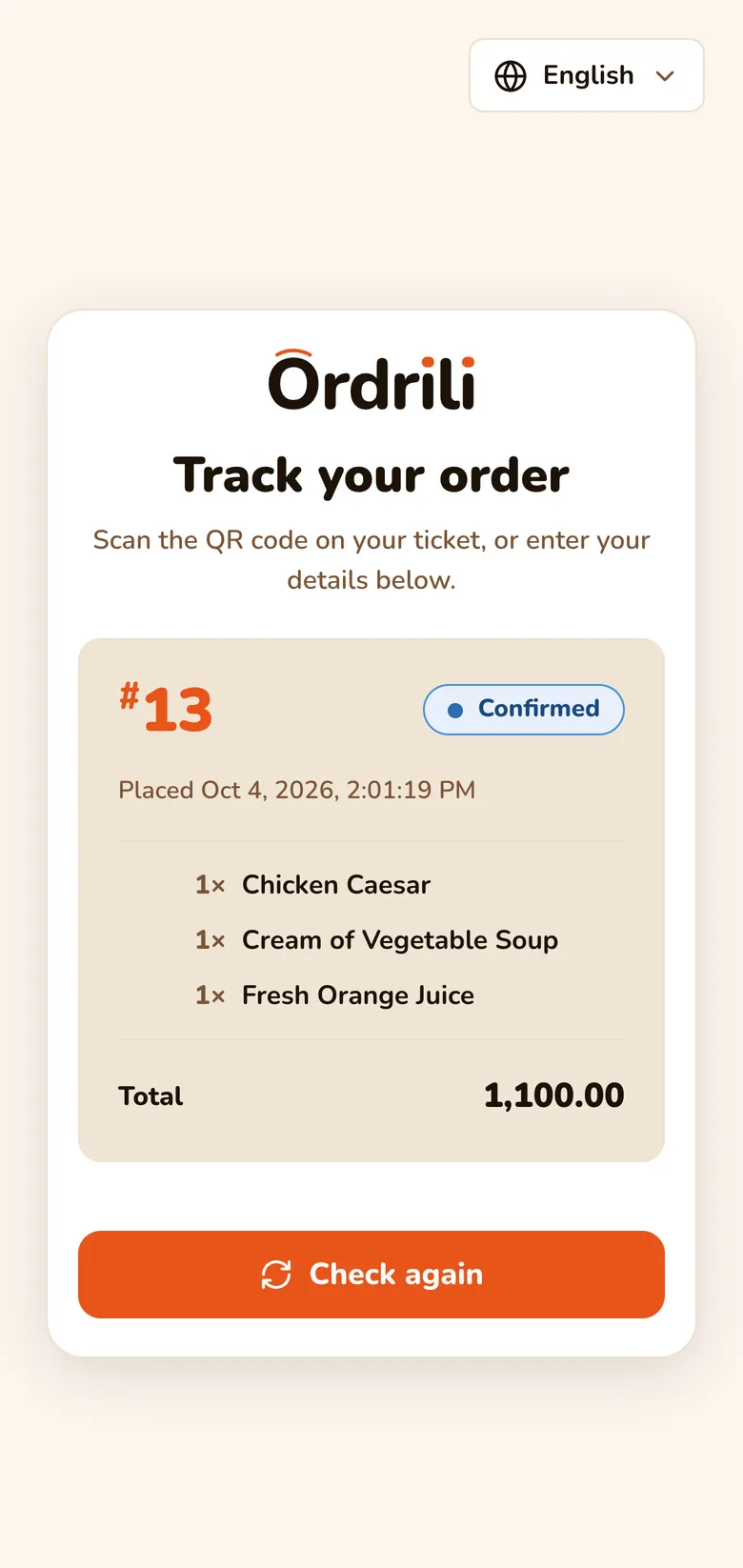
Every order gets a number and a QR code. Guests scan it and follow the status on their own phone — no app to install.

Order status on a guest’s phone

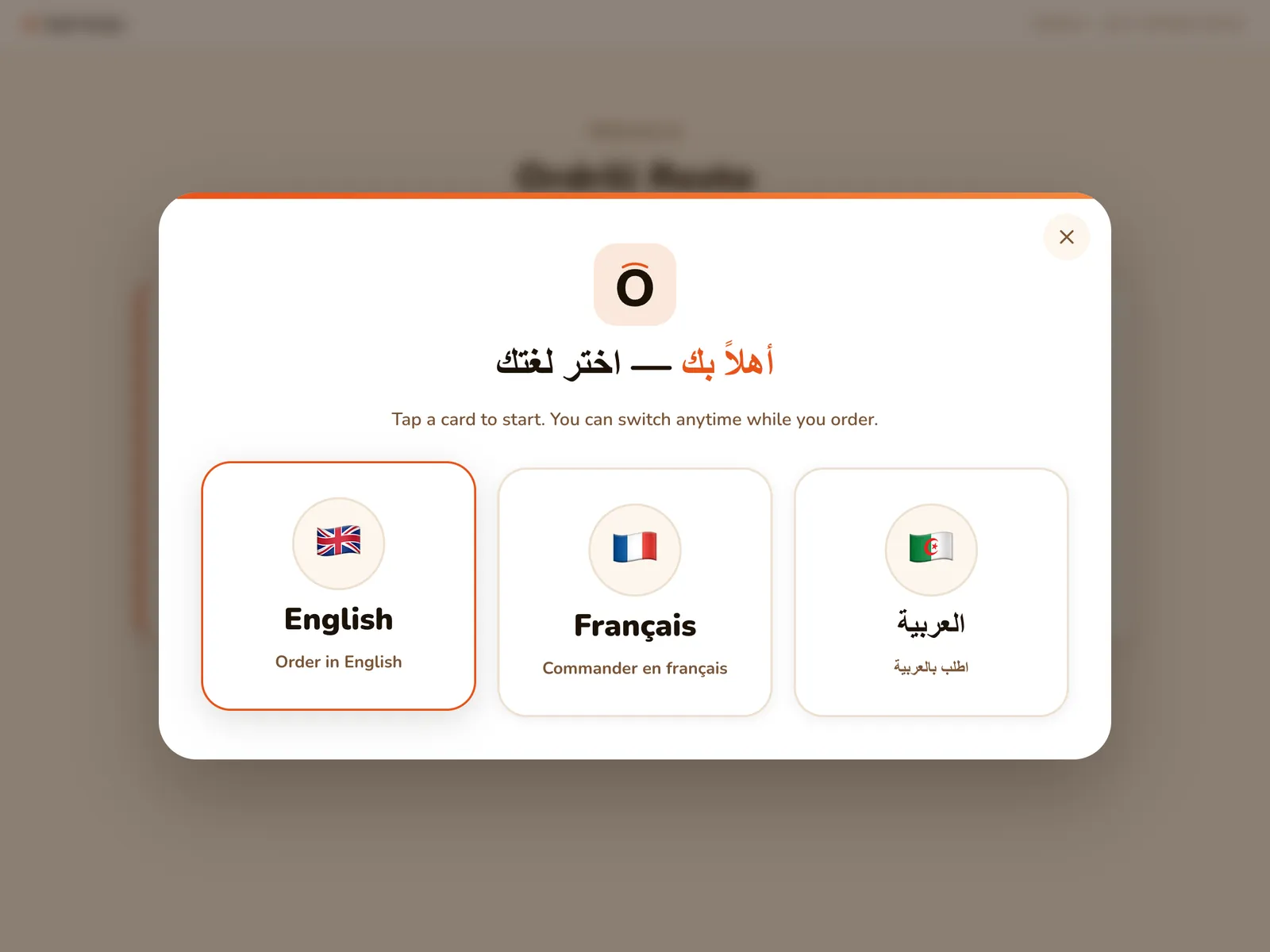
Their language, every time

Each guest picks Arabic, French or English before ordering. The next guest starts fresh in their own language.

Language picker — Arabic, French, English
For your team

A screen for every role

Managers, chefs and waiters each get a view built for their job — on a computer, a tablet or a phone.

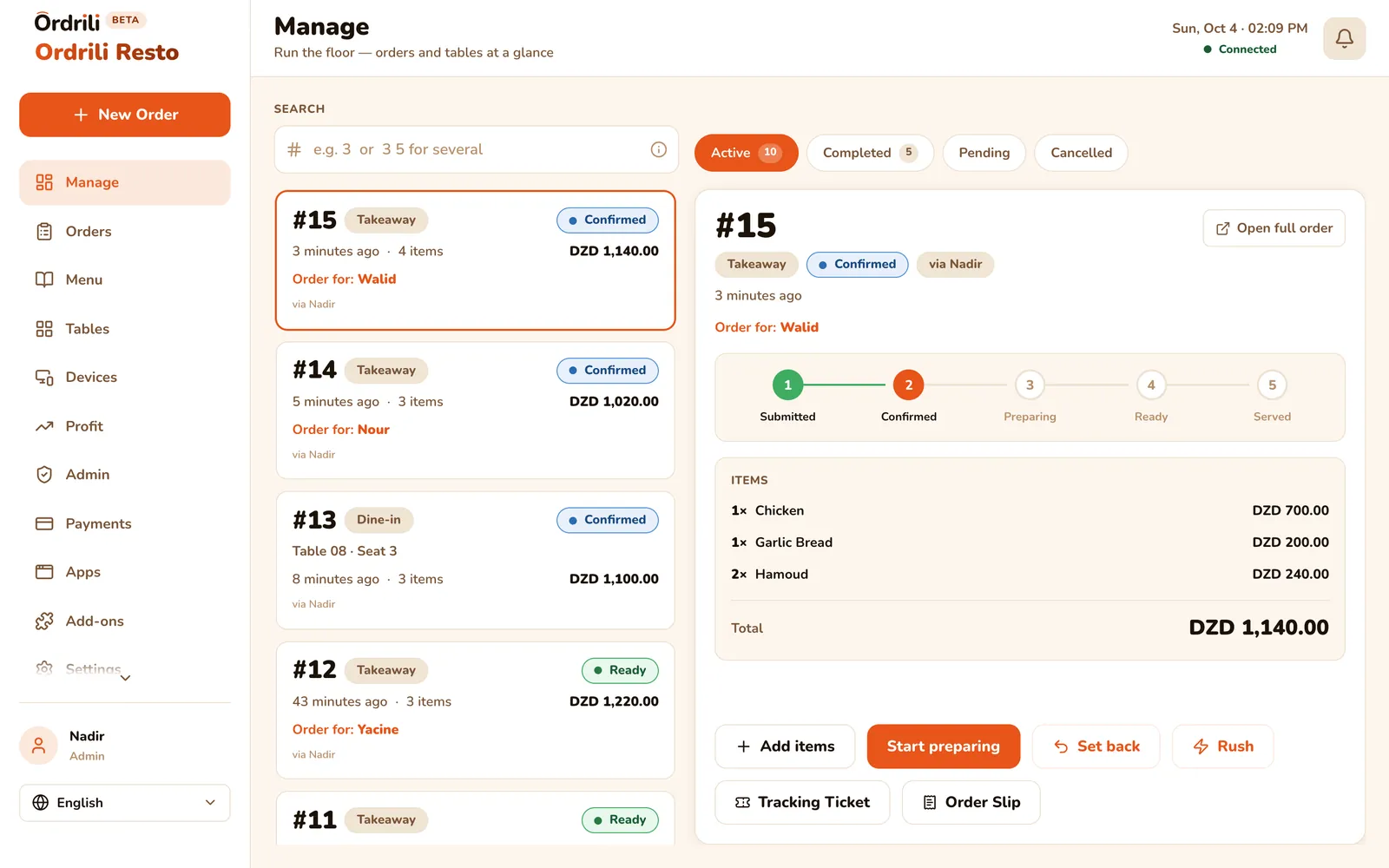
Manager — the whole service at a glance

Every order and every table in one place. Approve new orders, follow each one from placed to served, and spot the tables that need attention.

  • Pending, active, completed and cancelled orders side by side
  • Step-by-step progress for each order
  • Mark an order as rush with one tap
  • Floor overview: free, occupied and to-clean tables
Manager dashboard with live orders

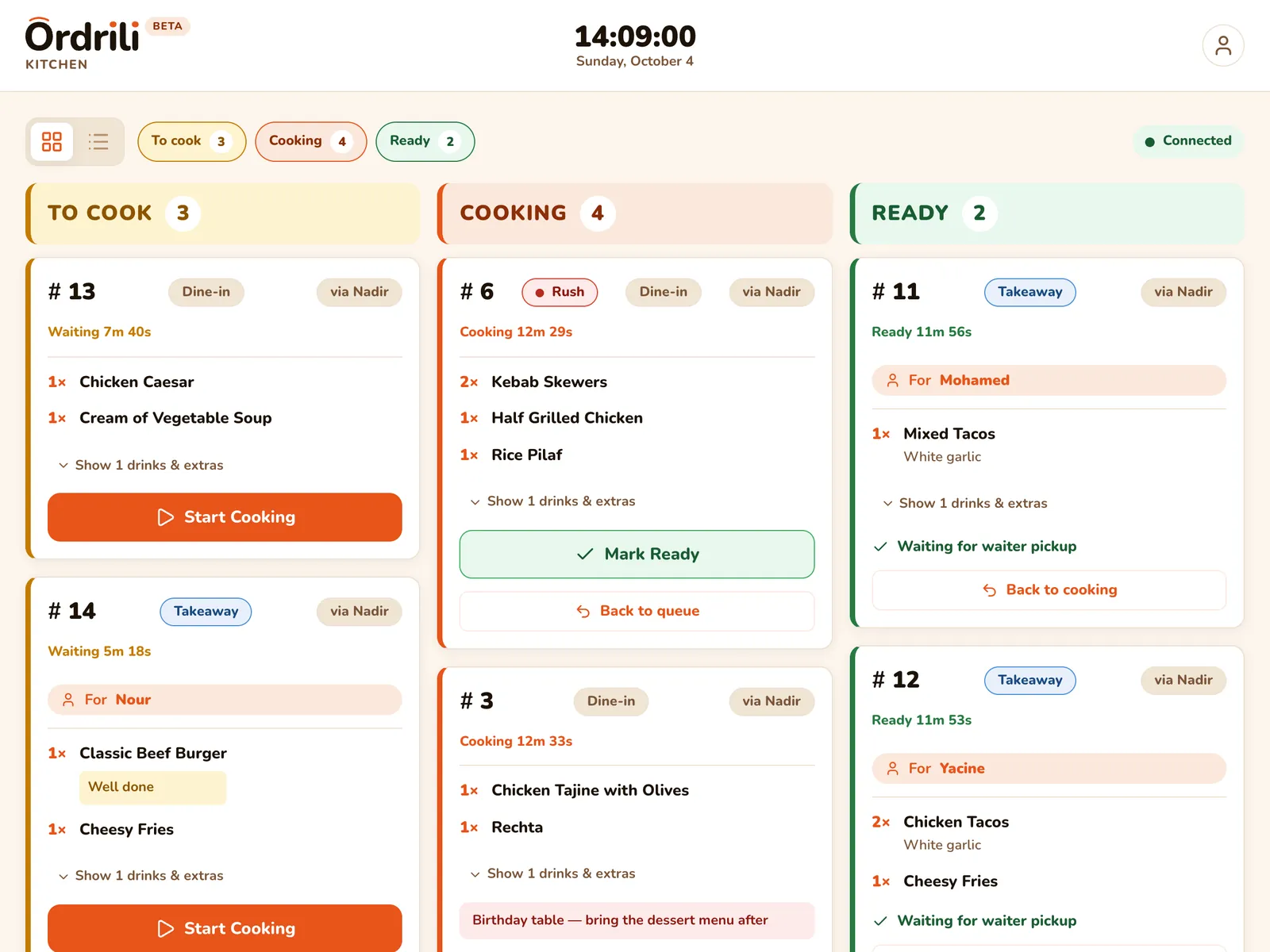
Chef — a kitchen board that keeps up

Orders land on the kitchen tablet the moment they’re placed, sorted and timed. Chefs tap to start cooking and tap again when it’s ready.

  • To cook, Cooking and Ready columns with live timers
  • Rush orders jump to the top
  • Changed orders are highlighted until the chef confirms
  • Drinks and ready-to-serve items skip the kitchen
Learn more
Kitchen board — to cook, cooking, ready

Waiter — everything in their pocket

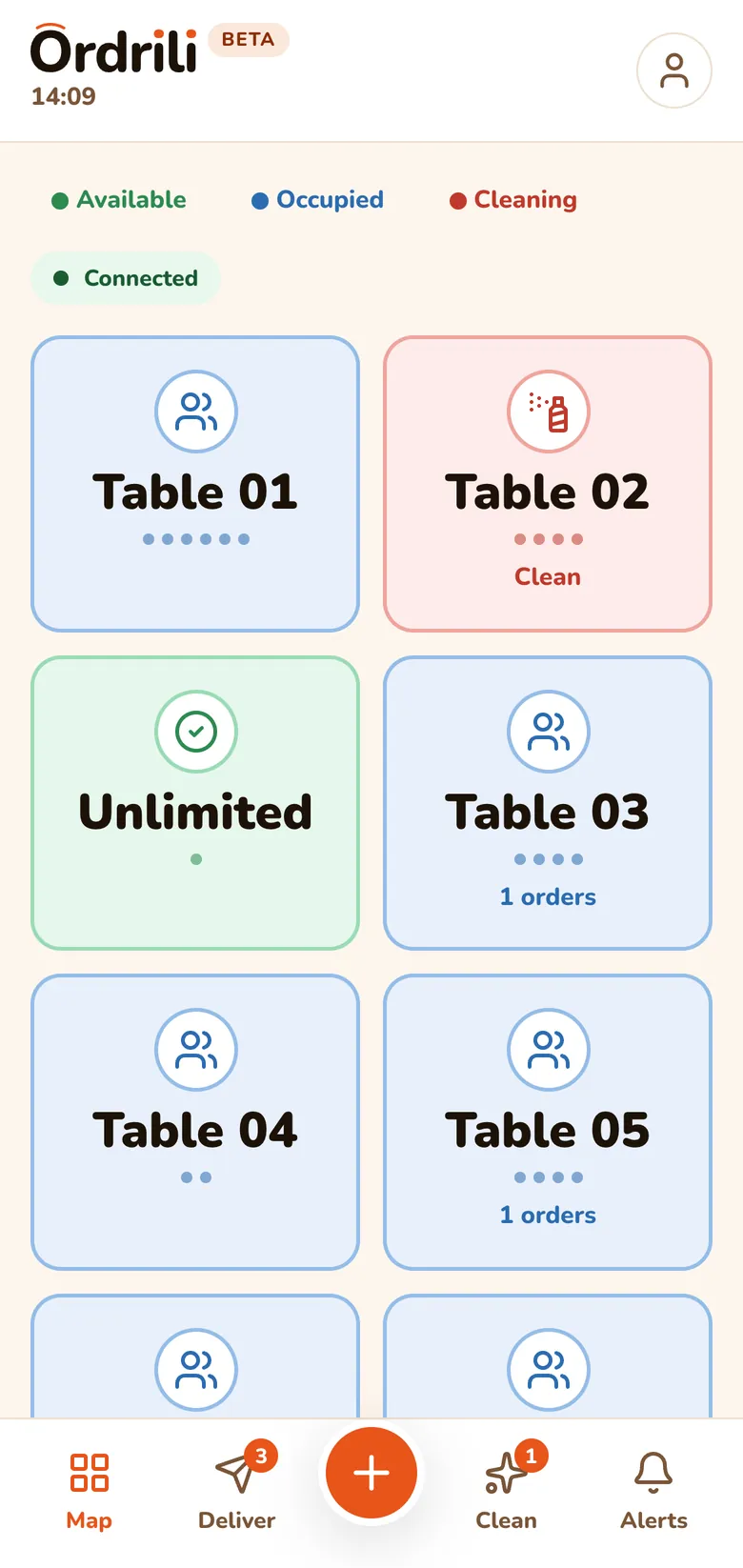
A phone app built for walking the floor: see which tables are busy, what’s ready to serve, which tables to clean and which guests are calling.

  • Floor map with each table’s status
  • Ready-to-serve list, oldest and rush first
  • Tables to clean after guests pay
  • Guest calls arrive instantly
Learn more
Waiter app — floor map

Everyone sees the same thing, instantly

  • No refreshing

    New orders and status changes appear on every screen by themselves.

  • A sound for each event

    New order, order ready, guest calling — each one sounds different.

  • Always know you’re live

    Every screen shows whether it’s connected, and reconnects on its own.

Orders & service

Built for how service really runs

Late changes, extra rounds, guests who switch tables — Ordrili handles the messy parts of a busy shift.

Take any kind of order

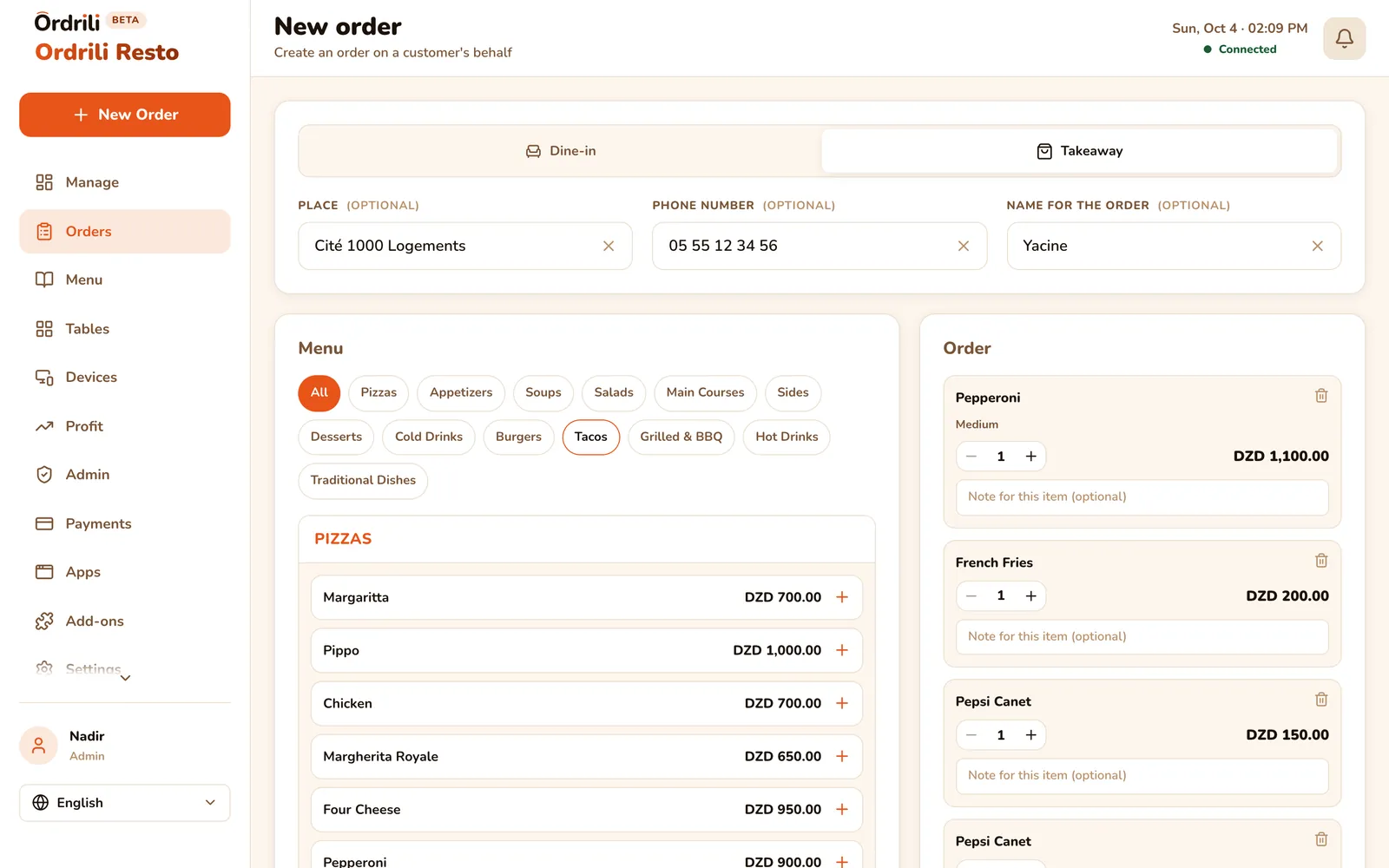
Dine-in, takeaway or a call-ahead order — your staff take it from one screen, pick sizes and extras, and send it to the kitchen.

  • Dine-in by table and seat
  • Takeaway with the guest’s name and phone
  • Call-ahead orders for guests on their way
  • Notes on each item and on the whole order
New order screen with menu and cart

Add a round

Guests want dessert after the mains? Add it to the running order — the kitchen gets it as a new round, the guest keeps one bill.

Move to another table

Guests changed tables? Move their order in two taps. The old table is freed for the next guests.

Rush orders

Flag an order as rush and it jumps to the top of the kitchen and waiter screens.

Find any order fast

Filter by day, status or type, or type an order number — even several at once.

Payments that close the table

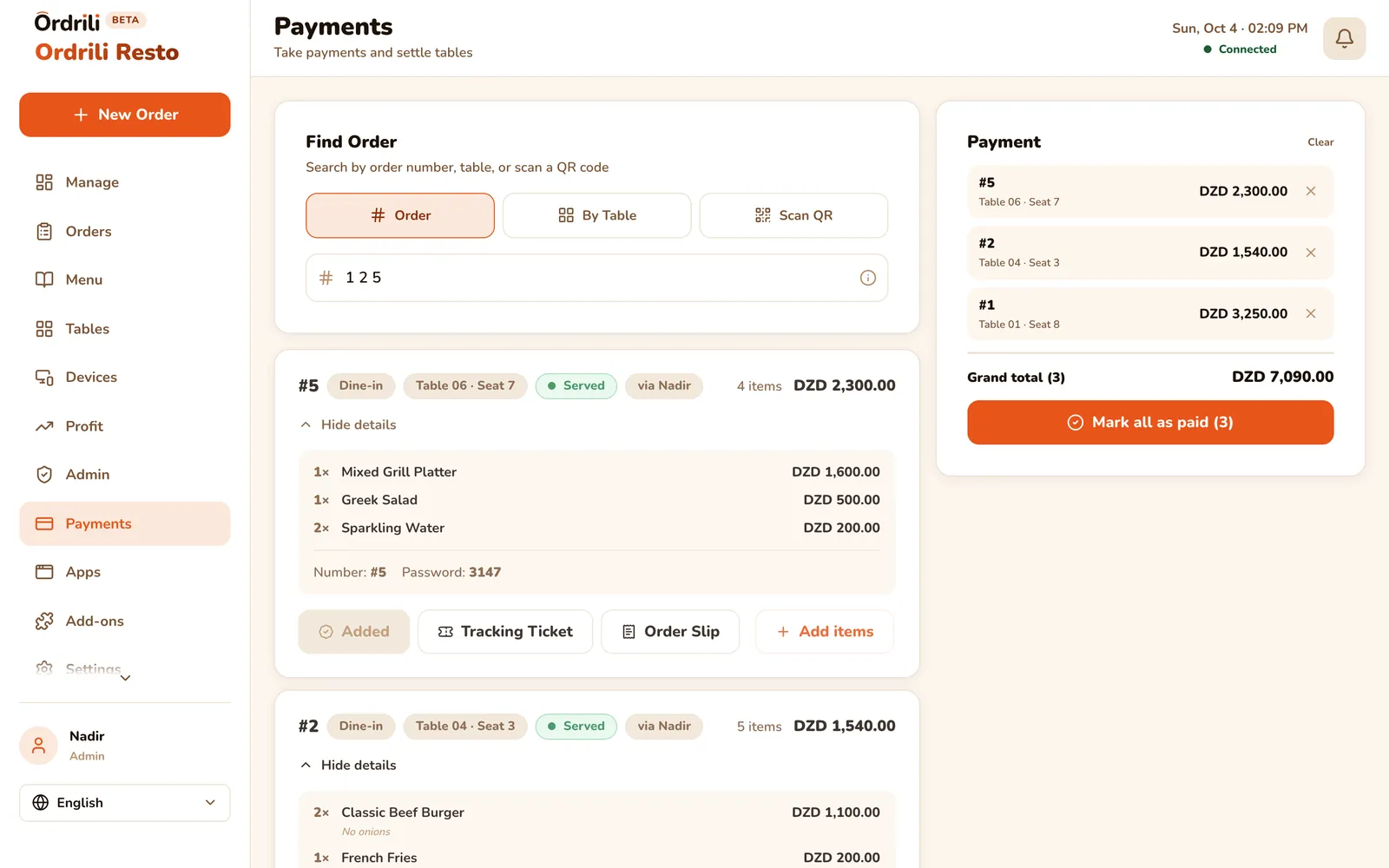
Mark one order or several as paid at once. When a table is fully paid it closes itself and goes on the cleaning list.

Payments — several orders paid at once

Printed tickets

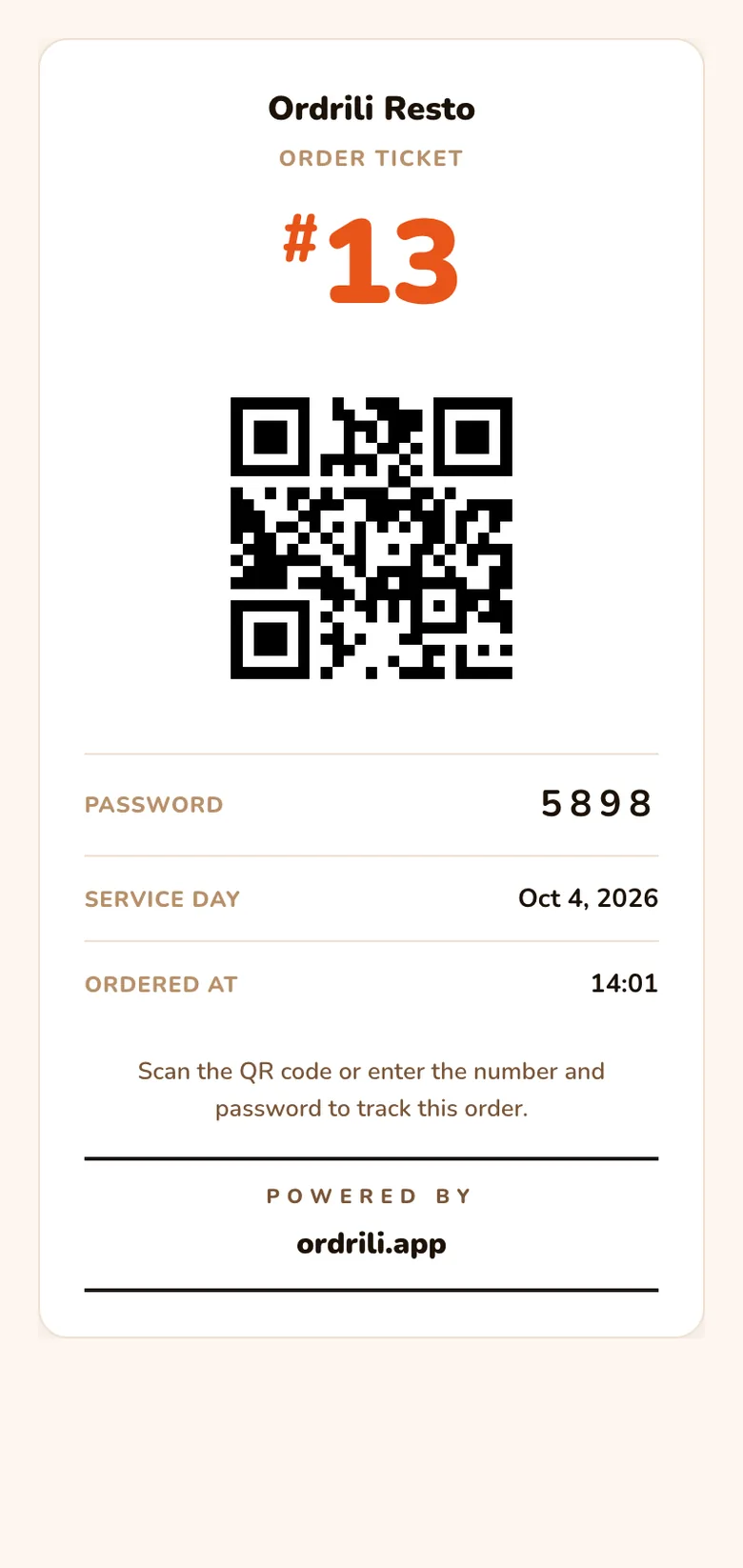
Print the guest’s ticket with its QR code, or the full order slip, on a Bluetooth thermal printer.

Printed ticket with order number and QR code
The Ordrili apps

Apps that complete the system

Phone orders, offline service and every screen in your restaurant — each has an app made for it.

Ordrili Catch · phone orders

Turn phone calls into orders in seconds

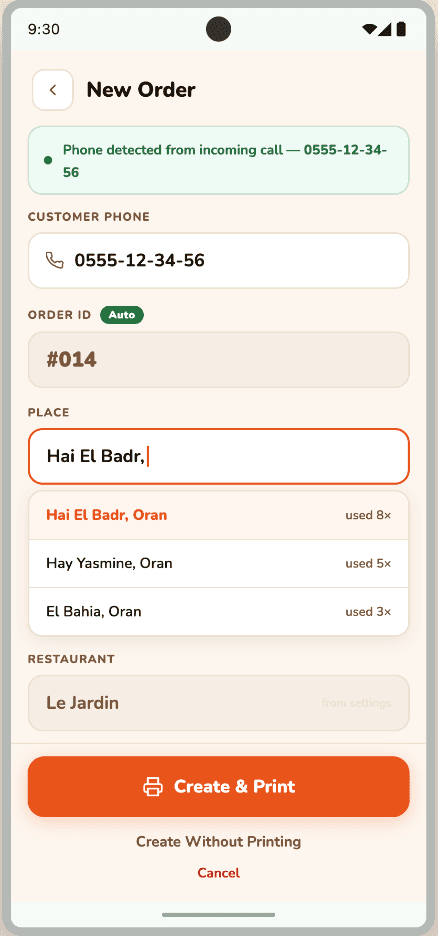
Catch runs on the phone that answers your restaurant line. When a guest calls, your staff already see who it is on the order screen.

  • The caller’s number appears on the order screen while the phone rings
  • Their usual delivery places are suggested, ready to pick
  • Several calls at once? They line up, one order each
  • Send a number from the call history when you call a guest back
Learn more
Ordrili Catch — new order from an incoming call

Ordrili Hub — keeps going when the internet doesn’t

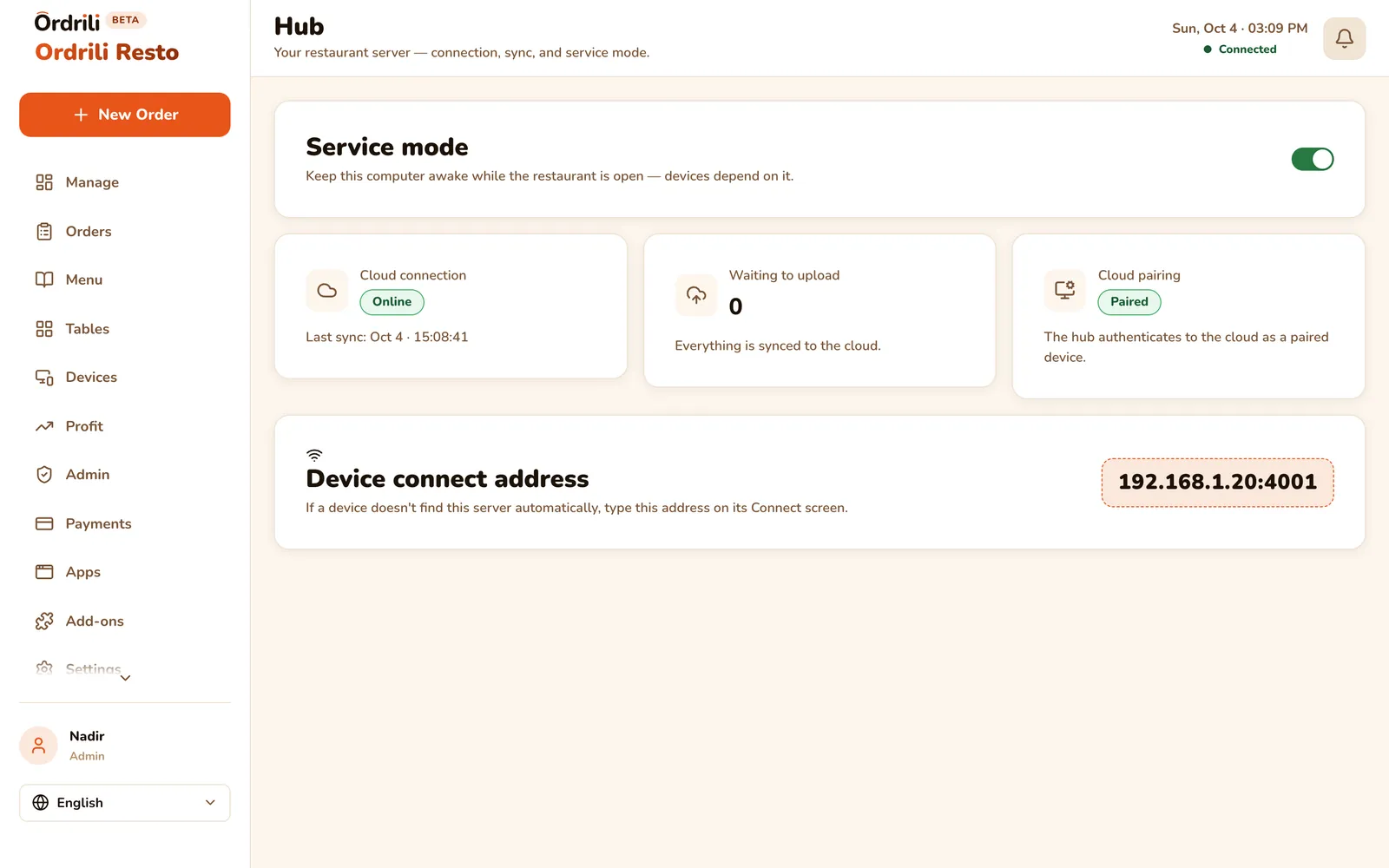
Hub runs on a computer in your restaurant. If the internet cuts out, your tablets, kiosk and kitchen keep working over your Wi-Fi, and everything syncs back once you’re online.

  • Orders, kitchen and payments keep running offline
  • Everything syncs back automatically
  • One screen shows that your Hub is running
  • Your menu and staff stay in sync with the cloud
Learn more
Hub status screen
Hub status screen

Ordrili Spot — one app for every screen

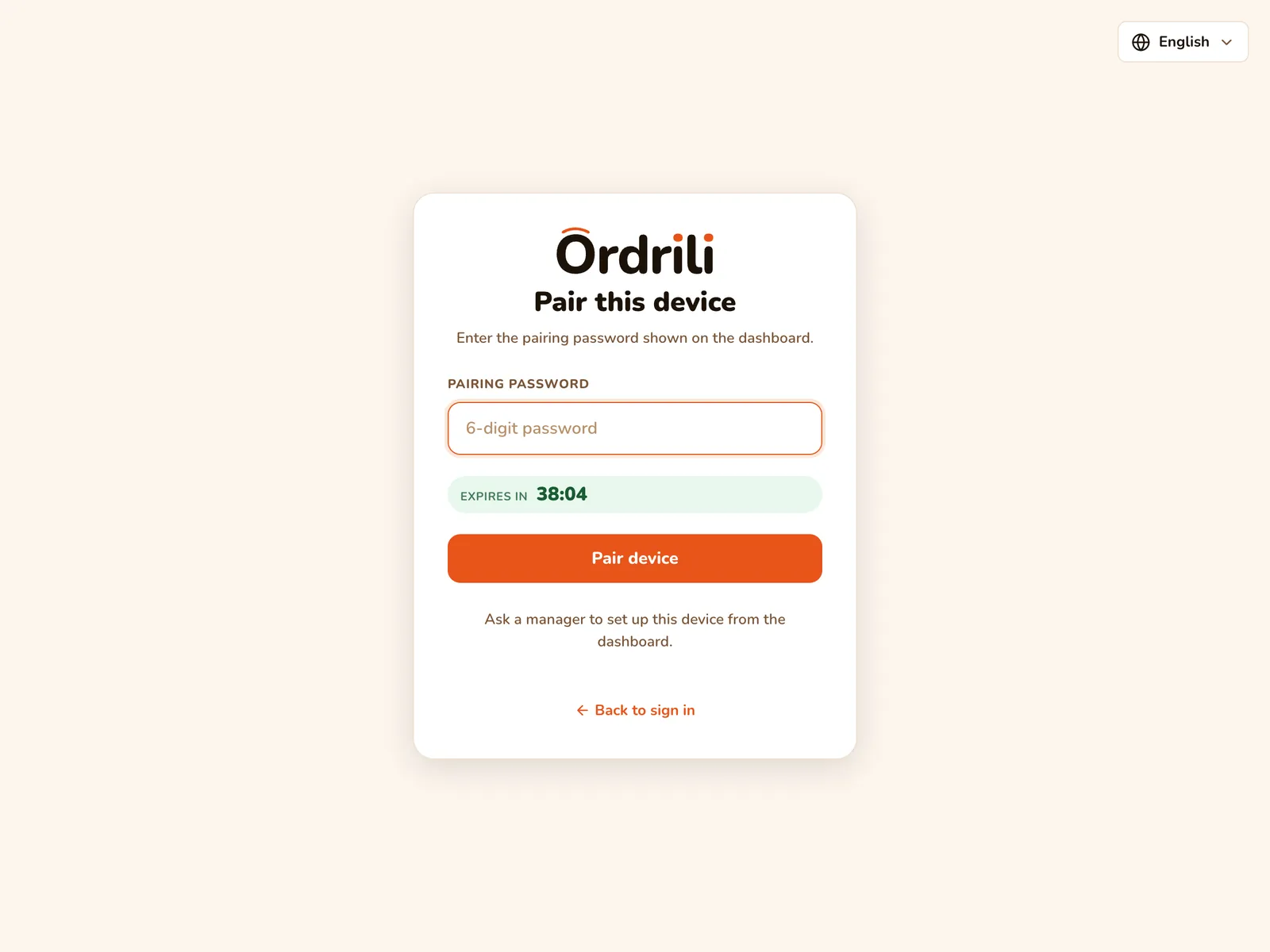
Spot is the app on your team’s phones and tablets — kitchen, waiters, manager — and it turns a tablet or TV into a table tablet, a kiosk or a queue board. Connect it in seconds by scanning a code from your dashboard.

  • Table tablet, kiosk or queue board — you choose
  • Connects by scanning a code
  • Finds your Hub on the restaurant Wi-Fi
  • Prints to Bluetooth thermal printers
Spot — connecting a new screen
Run the business

Know what you earn, not just what you sell

Ordrili turns every order into numbers you can act on — and keeps your team organised.

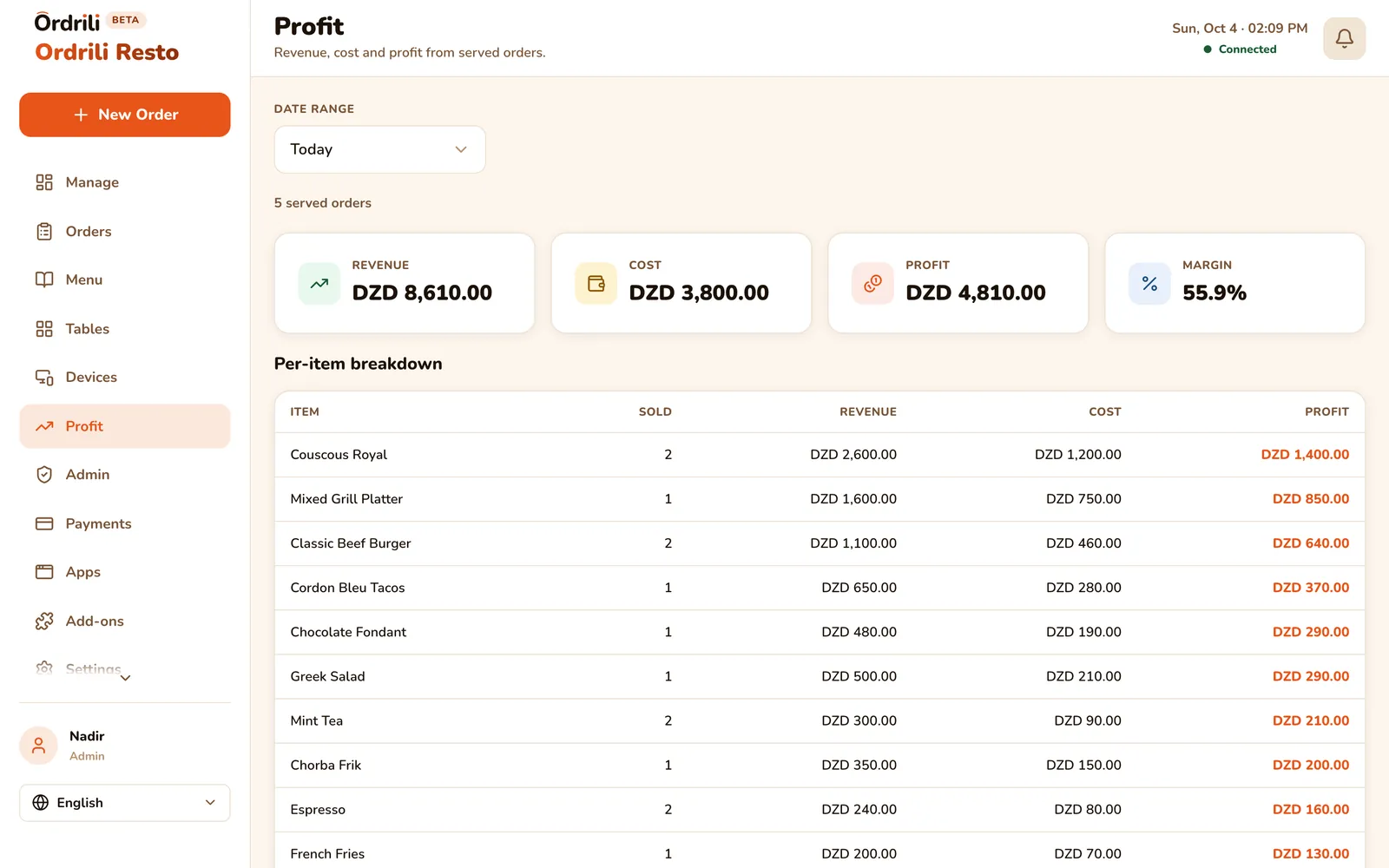
Profit dashboard

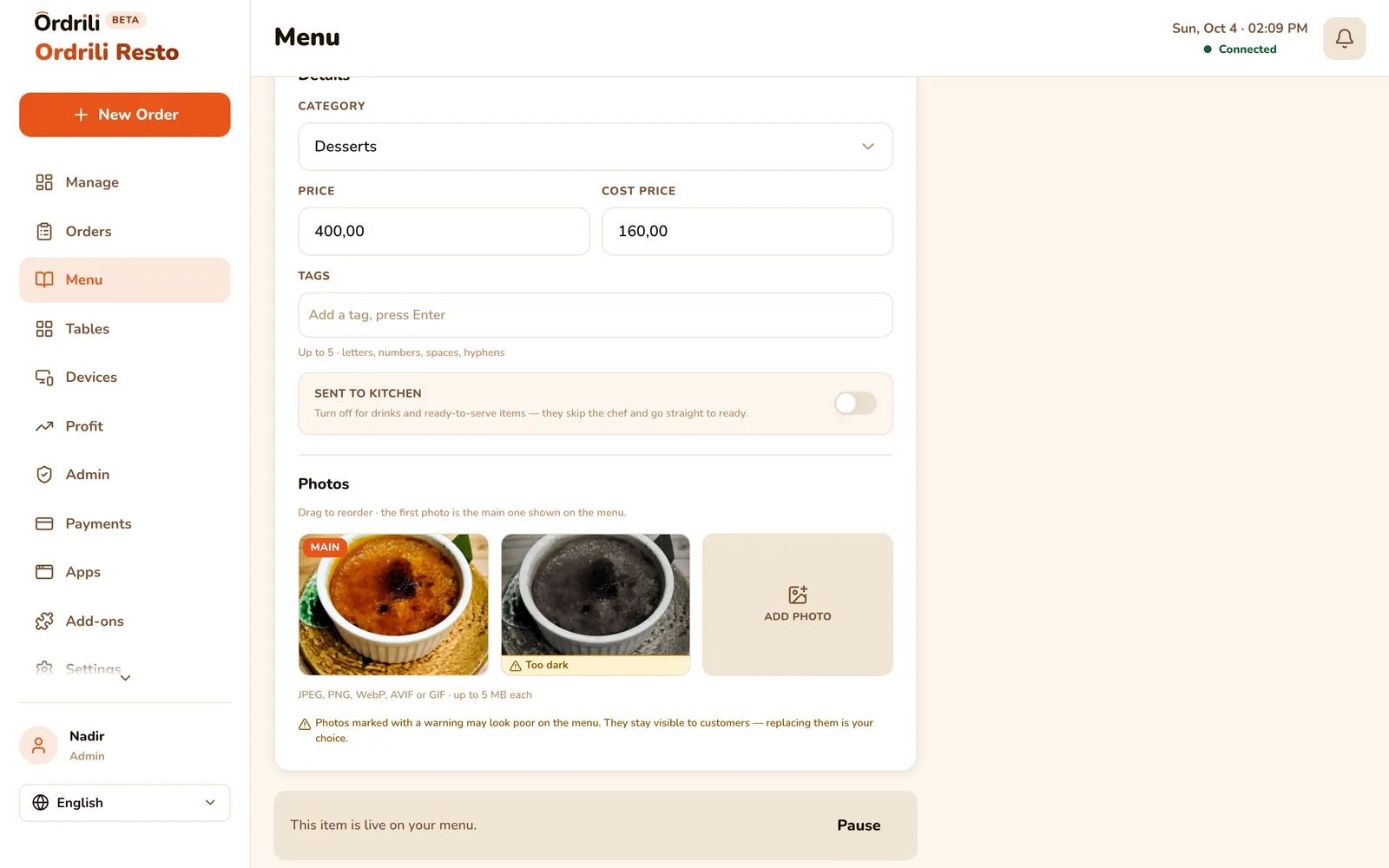
Enter a cost for each dish once. Ordrili then shows your revenue, cost, profit and margin for any period — and which dishes really make you money.

  • Today, this week, this month or any dates you pick
  • Revenue, cost, profit and margin at a glance
  • Every dish ranked by the profit it brings
Profit dashboard — totals and dishes by profit

A business day that fits your hours

Open late? Choose when your day ends, so orders after midnight still count toward tonight — numbers and totals included.

Team accounts and roles

Give every staff member their own login as admin, manager, chef or waiter. Each one sees only what their job needs — and you can give a waiter extra rights, like taking orders.

Plans & add-ons

Start with the essentials, add what you need

Every restaurant gets the core of Ordrili. Turn on add-ons when your service needs them — and try each one free first.

Included

Everything to run service

  • Manager dashboard
  • Menu builder in 3 languages
  • Dine-in, takeaway and call-ahead orders
  • Payments and printed tickets
  • Profit dashboard
  • Ordrili Hub for offline service
  • Chef board

    The kitchen screen with timers and rush orders.

  • Waiter app

    Floor map, serving, cleaning and guest calls.

  • Table Tablet

    Guests order from their table.

  • Self-Order Kiosk

    Counter ordering without a queue.

  • Queue Board

    A TV screen that calls out ready orders.

  • Ordrili Catch

    Phone calls straight into the order screen.

  • Try any add-on free before you decide — request a trial right from your dashboard.

Coming next

  • Soon

    Online ordering website

    Your own page where guests order for pick-up.

  • Soon

    Table QR ordering

    Guests scan a code on the table and order from their phone.

  • Soon

    Activity history

    See who changed what, and when.

Getting started

Up and running in an afternoon

No technical skills needed — and we’re on WhatsApp if you get stuck.

  1. 1

    Request access

    Send us your details. We open your restaurant’s account and you start with a free trial.

  2. 2

    Build your menu

    Turn on ready-made categories, add your dishes, prices and photos in your languages.

  3. 3

    Connect your screens and team

    Scan a code to connect each tablet, kiosk or TV, and give every staff member a login.

  4. 4

    Take your first order

    Orders flow from guests to the kitchen to the bill — you watch it all live.

Why Ordrili

Built for Algeria, not adapted from abroad

Most ordering systems assume steady internet, one language and a big IT budget. Ordrili doesn’t.

  • Arabic, French and English

    Every screen speaks all three — Arabic reads right to left, properly.

  • Prices in dinars

    Menus, tickets and profit in Algerian dinars, the way your guests pay.

  • Ready for internet cuts

    With Ordrili Hub, service keeps going when the connection drops.

  • Made in Mascara

    Built with local restaurants, for the way they actually work.

Real people, close by

Questions before or after you start? Write to us — we answer in Arabic, French or English.

FAQ

Questions restaurants ask us

  • An internet connection and a computer for the restaurant’s admin. Your team’s phones and tablets, the kiosk and TV screens use the Ordrili Spot app. Add screens whenever you’re ready.

Get started

Ready to run a smoother service?

Tell us about your place and we’ll call you within 24 hours to set it up with you.

Prefer to talk first?