
Let guests order on their own — and skip the line
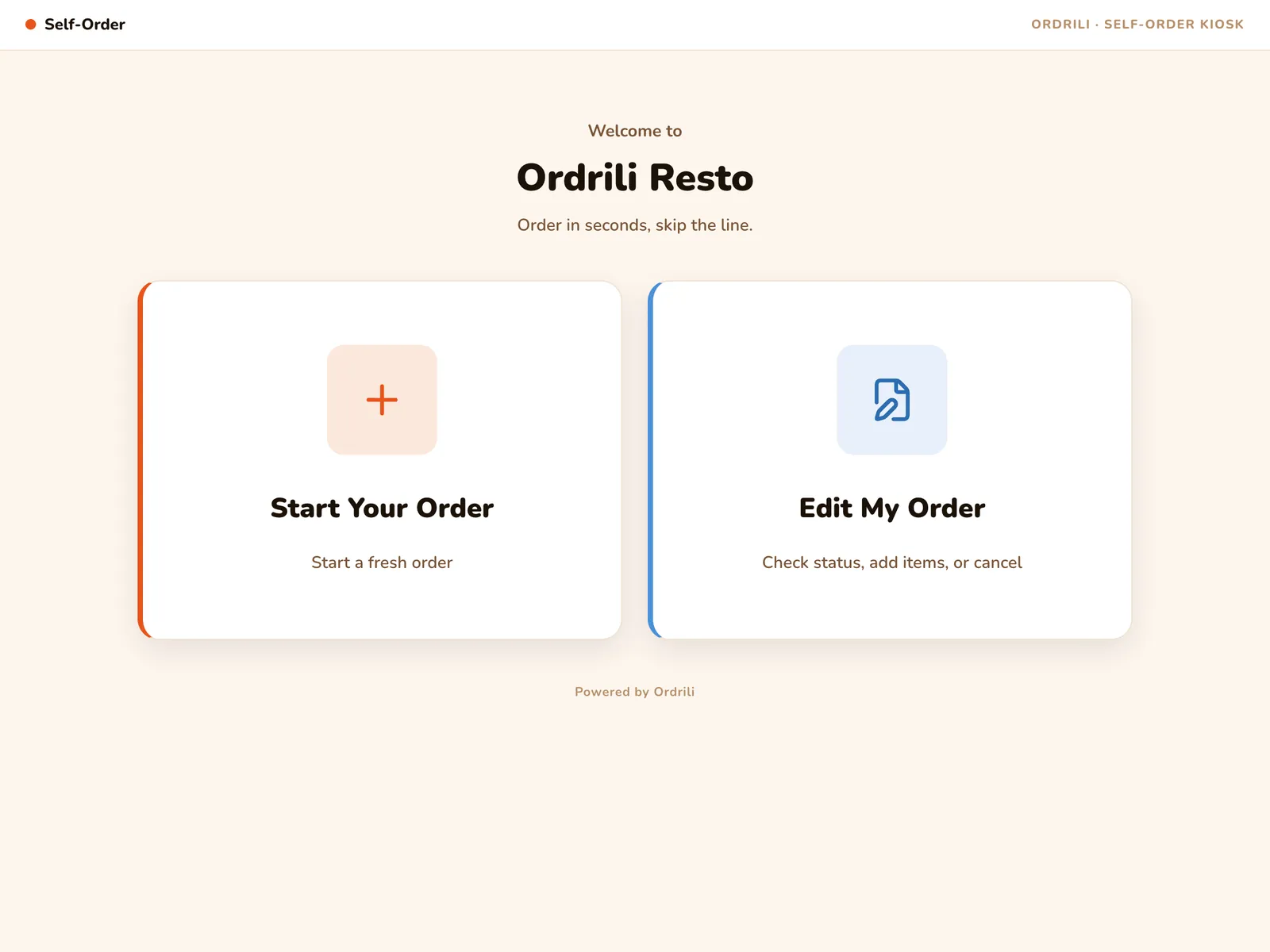
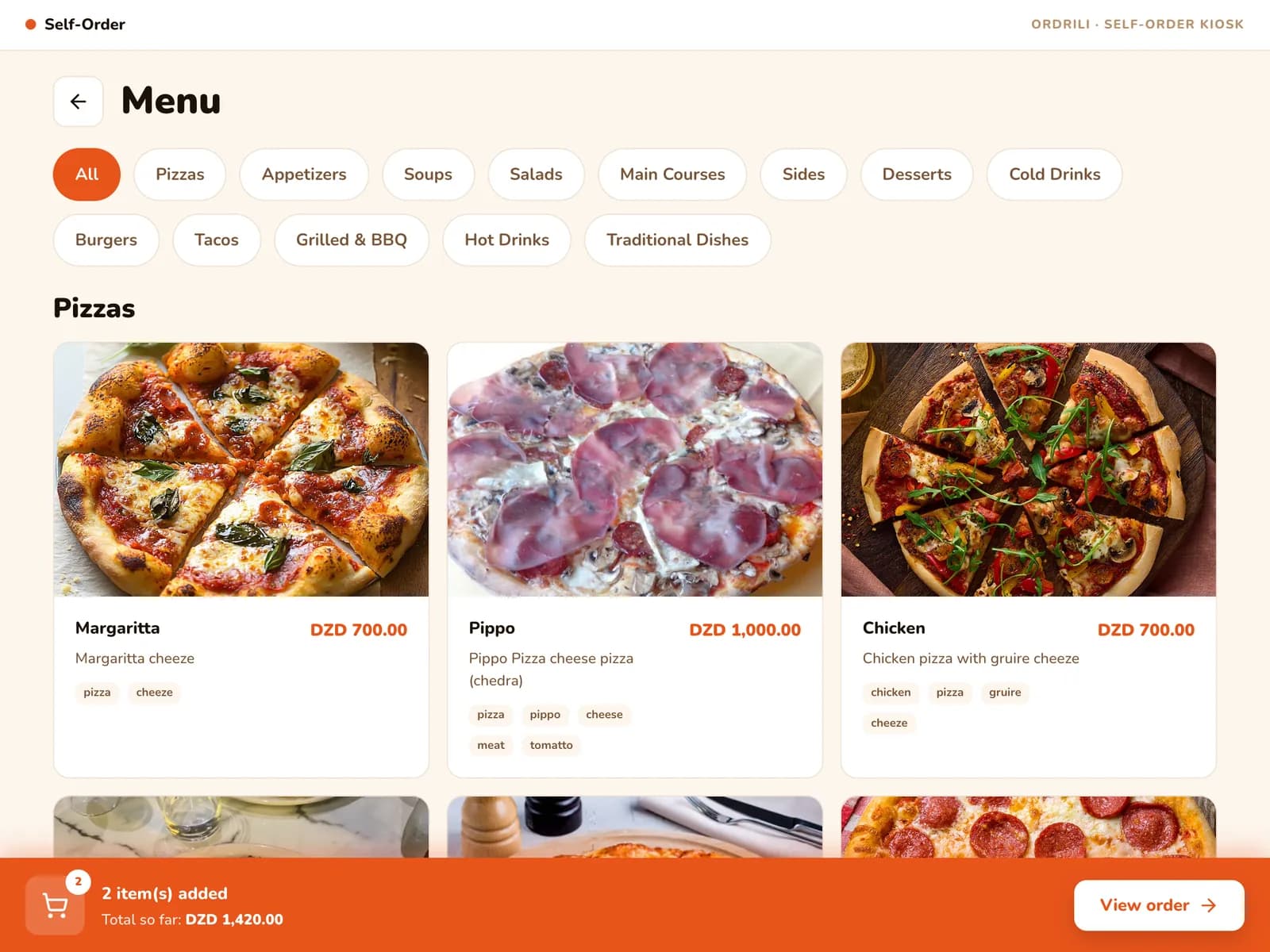
A tablet at the counter becomes your busiest cashier. Guests browse your menu with photos, choose dine-in or takeaway, and send their order straight to the kitchen — while your team focuses on the food.
Why restaurants use it
Shorter queues
Several guests can order at once while the counter keeps serving.
Dine-in or takeaway
Guests pick a free table or order to go with their name on the order.
Fewer order mistakes
Guests choose sizes, extras and notes themselves — nothing gets lost between the counter and the kitchen.
In their language
Each guest starts in Arabic, French or English.
Edit before cooking
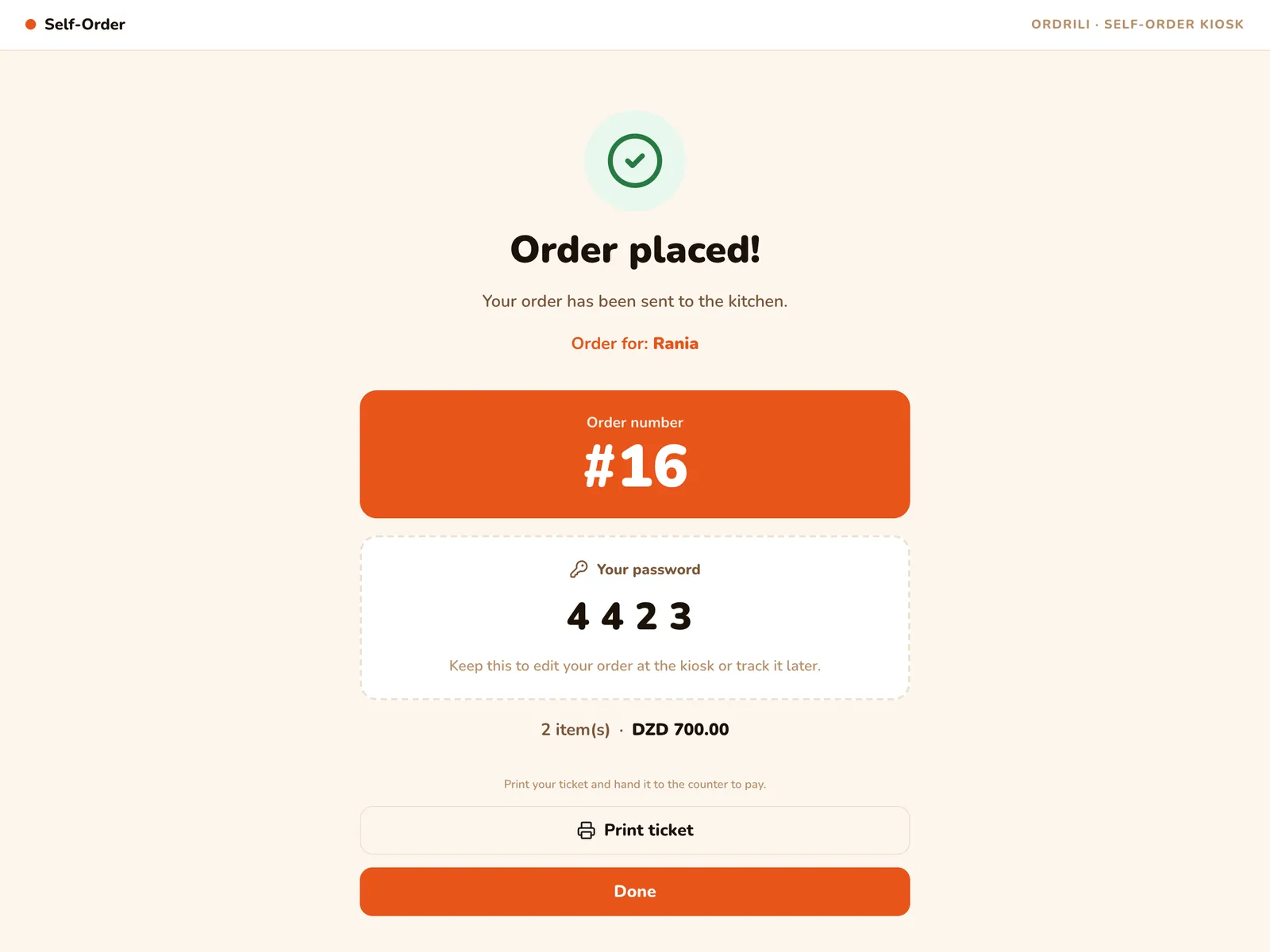
With their order number and a short code, guests can change their order until cooking starts.
Ready for the next guest
The kiosk clears itself when a guest walks away, so no order is left half-done.
How it works
- 1
Pick a language
The guest taps the screen and chooses Arabic, French or English.
- 2
Dine-in or takeaway
They choose a free table, or takeaway with their name.
- 3
Build the order
They browse the menu, pick sizes and extras, and check the cart.
- 4
Get a number
The order goes to the kitchen and the guest gets an order number and ticket.
Questions about this feature
A tablet with the Ordrili Spot app, ideally on a stand at the counter. A Bluetooth thermal printer is optional for tickets.
They pay at the counter as usual. The kiosk takes the order; your staff take the payment and mark it as paid.
Yes. Add the Order Queue Board and guests watch their number move to “Ready” on a TV.
Ready to run a smoother service?
Tell us about your place and we’ll call you within 24 hours to set it up with you.
Prefer to talk first?