
Everything your waiters need, in their pocket
Your waiters see the whole floor on their phone: which tables are busy, which dishes are ready to serve, which tables to clean and which guests are calling — updated live.
Why restaurants use it
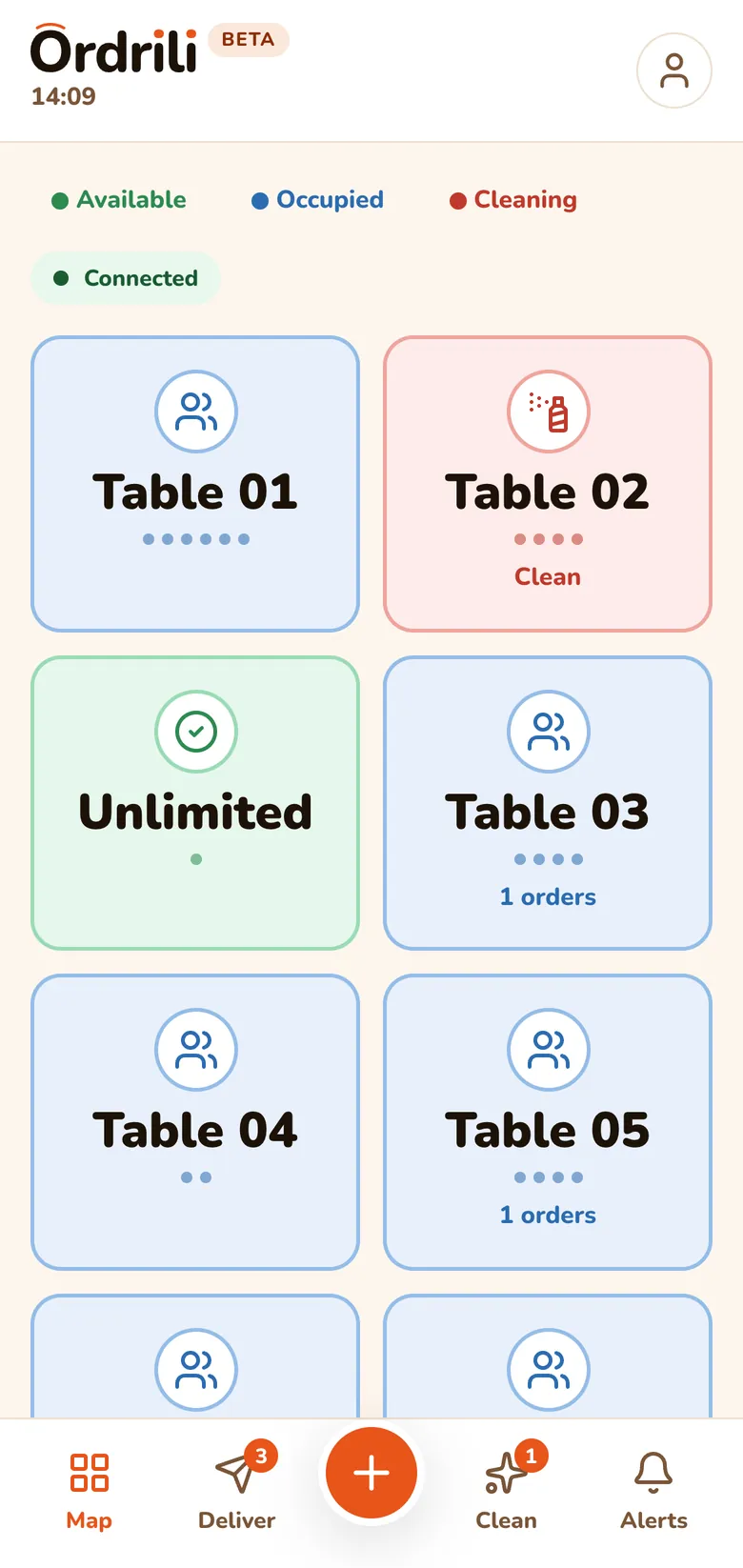
The floor at a glance
Every table with its status: free, occupied or to clean.
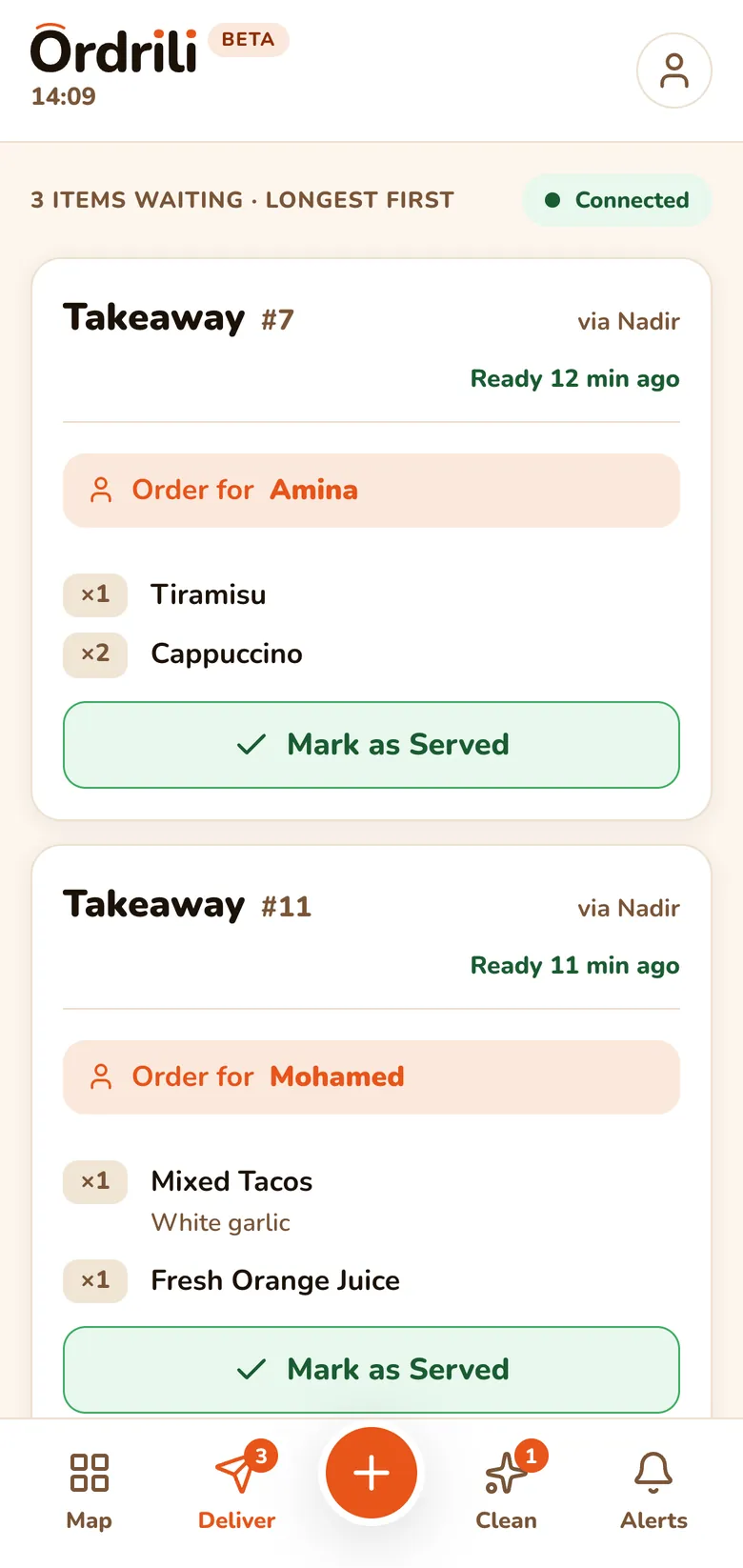
Serve while it’s hot
Ready dishes appear the moment the kitchen marks them, oldest and rush first.
Clean tables faster
Tables that need cleaning after guests pay show up in their own list.
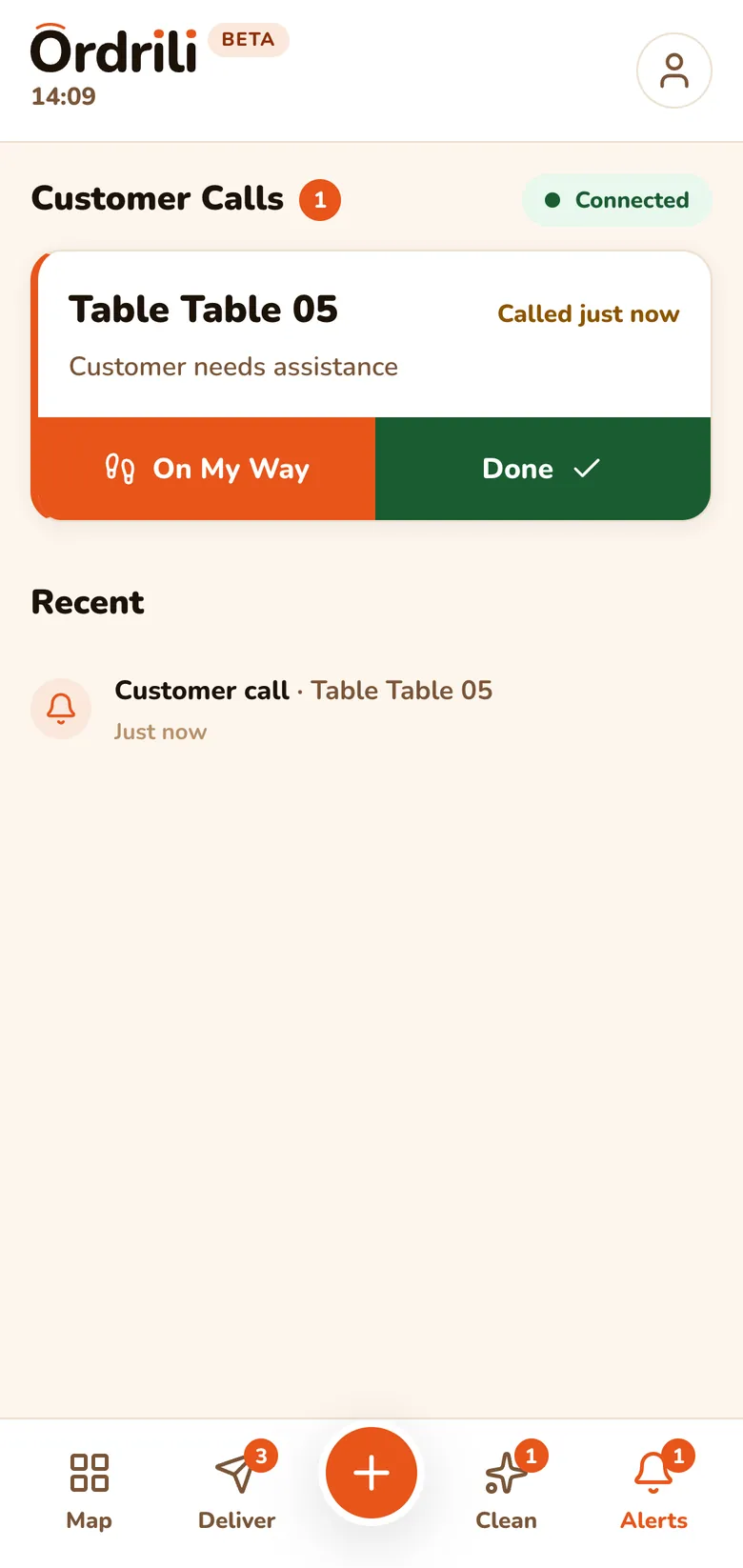
Guest calls
When a guest taps “call the waiter”, it arrives instantly.
Always live
Counts on each tab update by themselves, with a sound for each event.
Take orders too
Give a waiter the right to take orders and they can do it from their phone.
How it works
- 1
Sign in on a phone
Each waiter signs in to the Ordrili Spot app with their own account.
- 2
Watch the floor
The map shows every table and what it needs.
- 3
Serve what’s ready
Tap “served” when a dish reaches the table.
- 4
Reset the table
After payment, tap “cleaned” and the table is free again.
Questions about this feature
A phone with the Ordrili Spot app — the same app your tablets and kiosk use. Each waiter signs in with their own account.
Yes, if you allow it. You decide per waiter in your team settings.
They see what matters to them: what is ready, what to clean and who is calling.
Ready to run a smoother service?
Tell us about your place and we’ll call you within 24 hours to set it up with you.
Prefer to talk first?