
A kitchen screen that keeps up with the rush
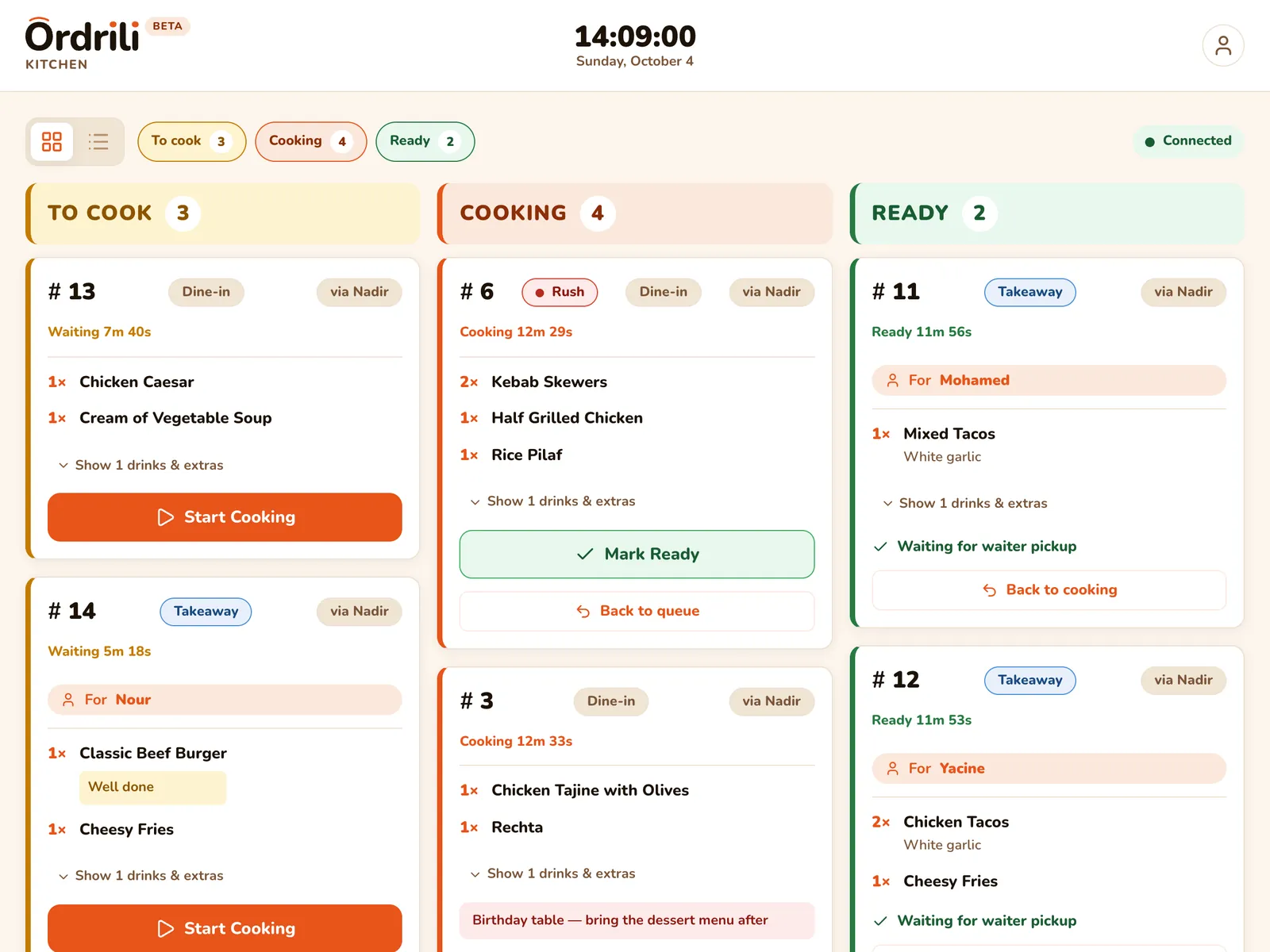
Orders land on the kitchen tablet the moment they are placed — sorted, timed and easy to read. Chefs tap to start cooking and tap again when it is ready. No more lost or unreadable tickets.
Why restaurants use it
Live timers
Every order shows how long it has been waiting, so nothing is forgotten.
Rush orders first
An order marked as rush jumps to the top of the board.
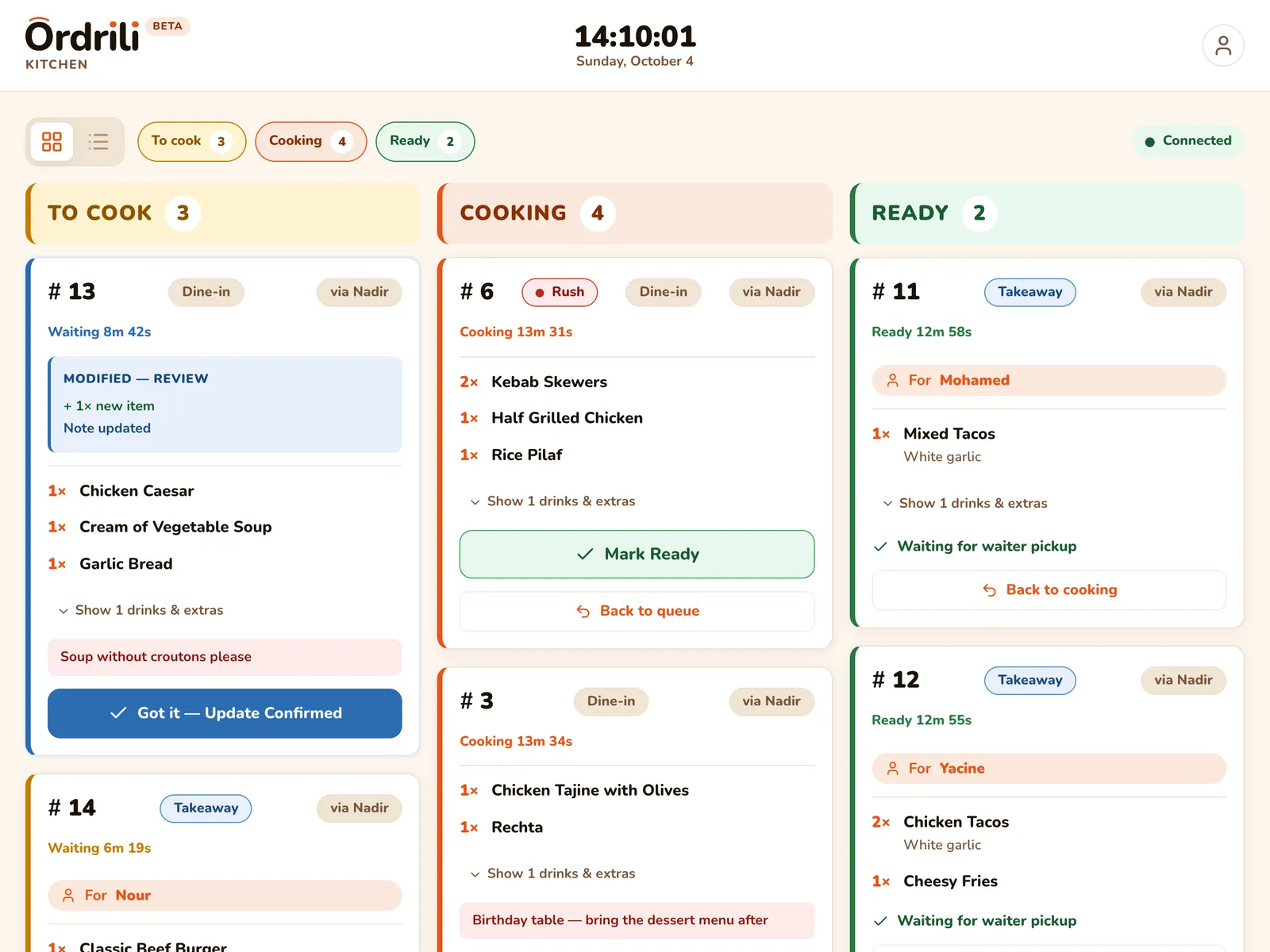
Changes you can’t miss
When an order changes, it stays highlighted until the chef confirms.
Only what needs cooking
Drinks and ready-to-serve items skip the kitchen and go straight to ready.
A sound for new orders
The board chimes when a new order arrives.
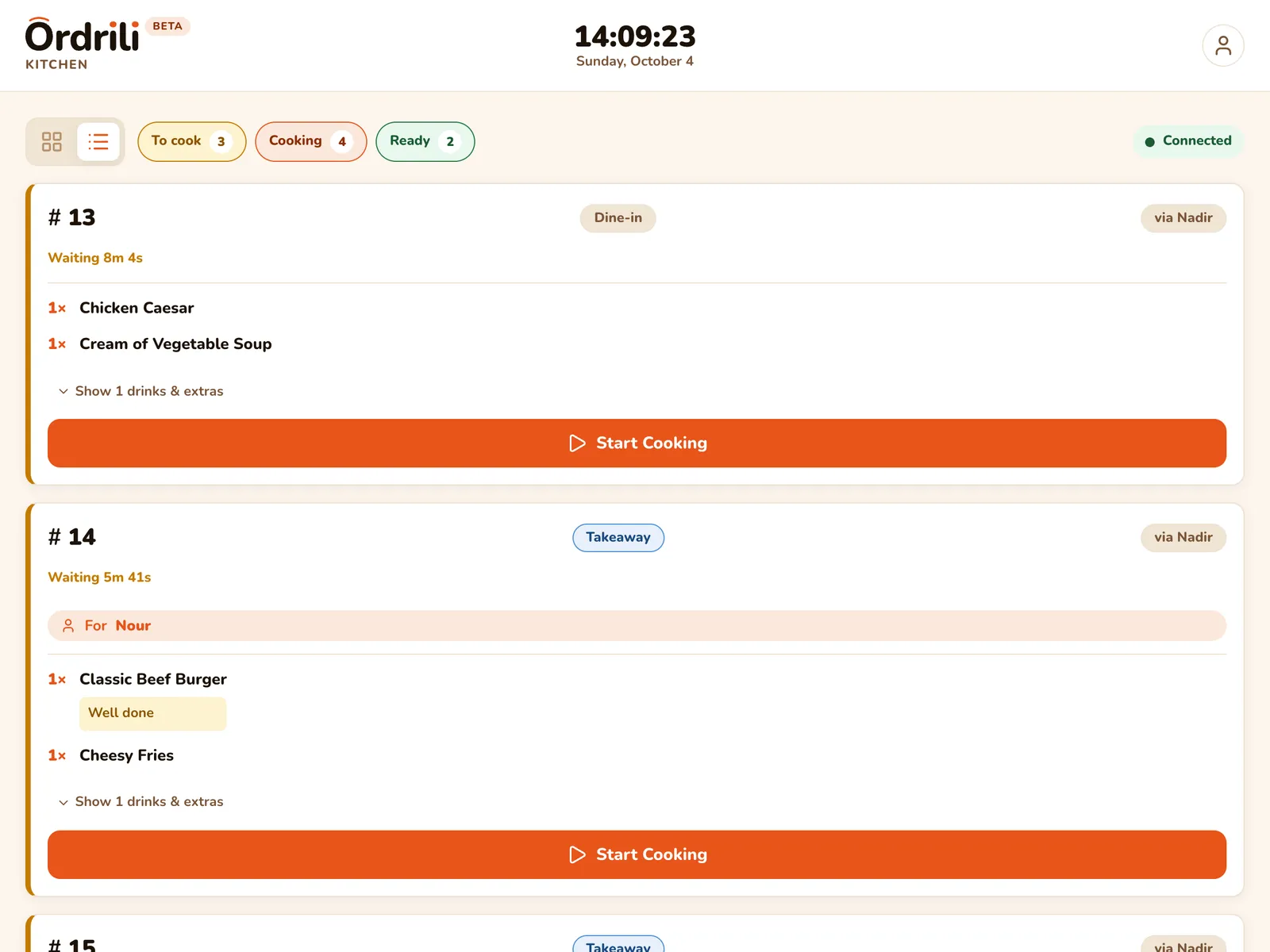
Board or list
Show columns or a simple list, and hide the columns you don’t need.
How it works
- 1
An order arrives
From a tablet, the kiosk, the phone or your staff — it appears instantly.
- 2
Start cooking
The chef taps once and the order moves to “Cooking”.
- 3
Mark it ready
One more tap and the waiters and queue screen know it is ready.
- 4
Served and gone
Once served, it leaves the board on its own.
Questions about this feature
A tablet with the Ordrili Spot app, where your chef signs in. Mount it where the team can see it.
Yes. You can print order slips on a Bluetooth thermal printer whenever you need paper.
Extra rounds arrive as their own cards, so the kitchen sees exactly what is new.
Ready to run a smoother service?
Tell us about your place and we’ll call you within 24 hours to set it up with you.
Prefer to talk first?