
Internet cut? Your service doesn’t stop
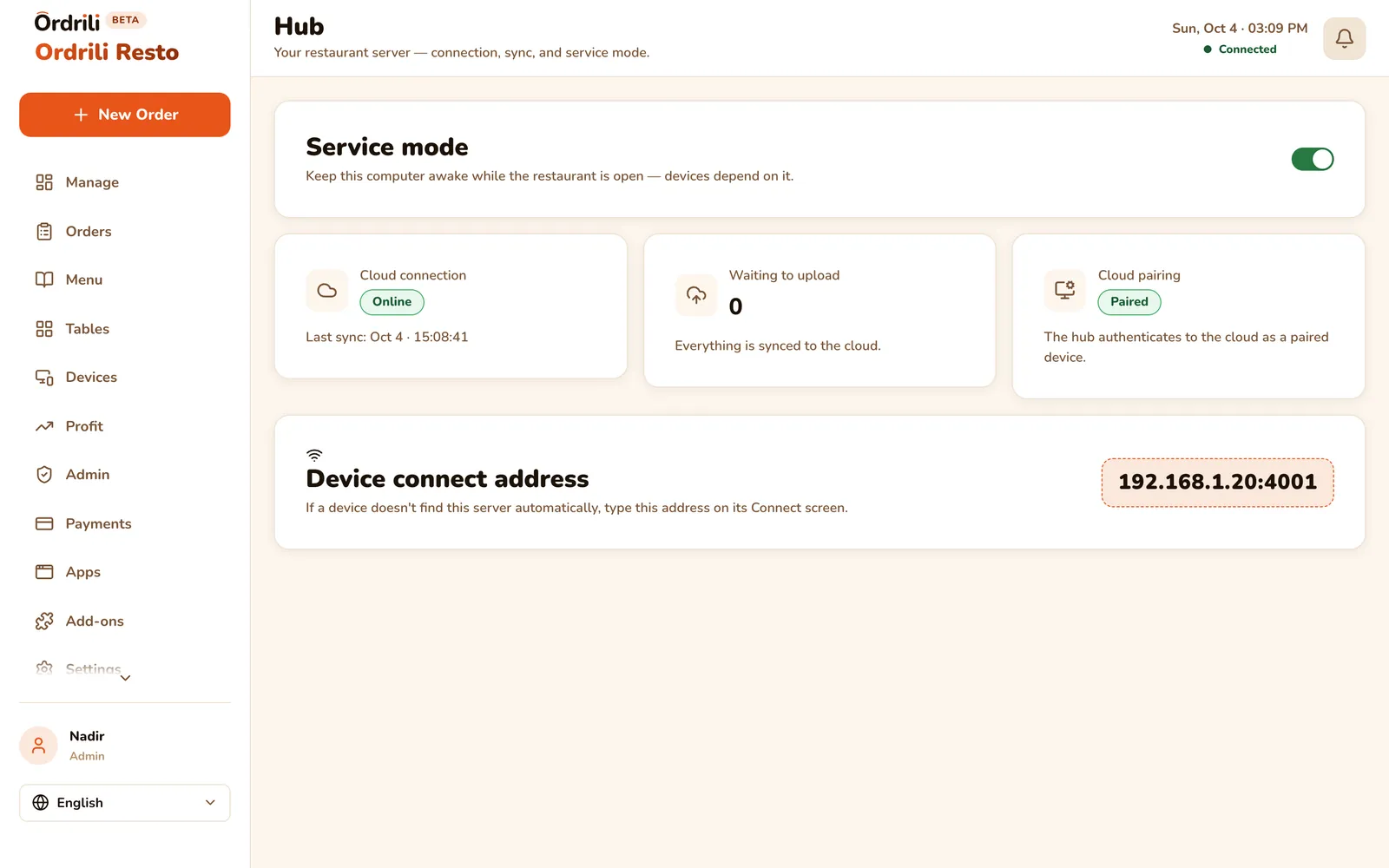
Hub runs on a computer in your restaurant. When the internet drops, your tablets, kiosk, kitchen and staff keep working over your Wi-Fi — and everything syncs back as soon as you are online again.
Why restaurants use it
Keeps working offline
Orders, kitchen, payments and printing continue during an internet cut.
Syncs by itself
Everything done offline is sent to the cloud automatically when the connection returns.
Status at a glance
One screen shows the Hub is running and what is waiting to upload.
Everyone connected
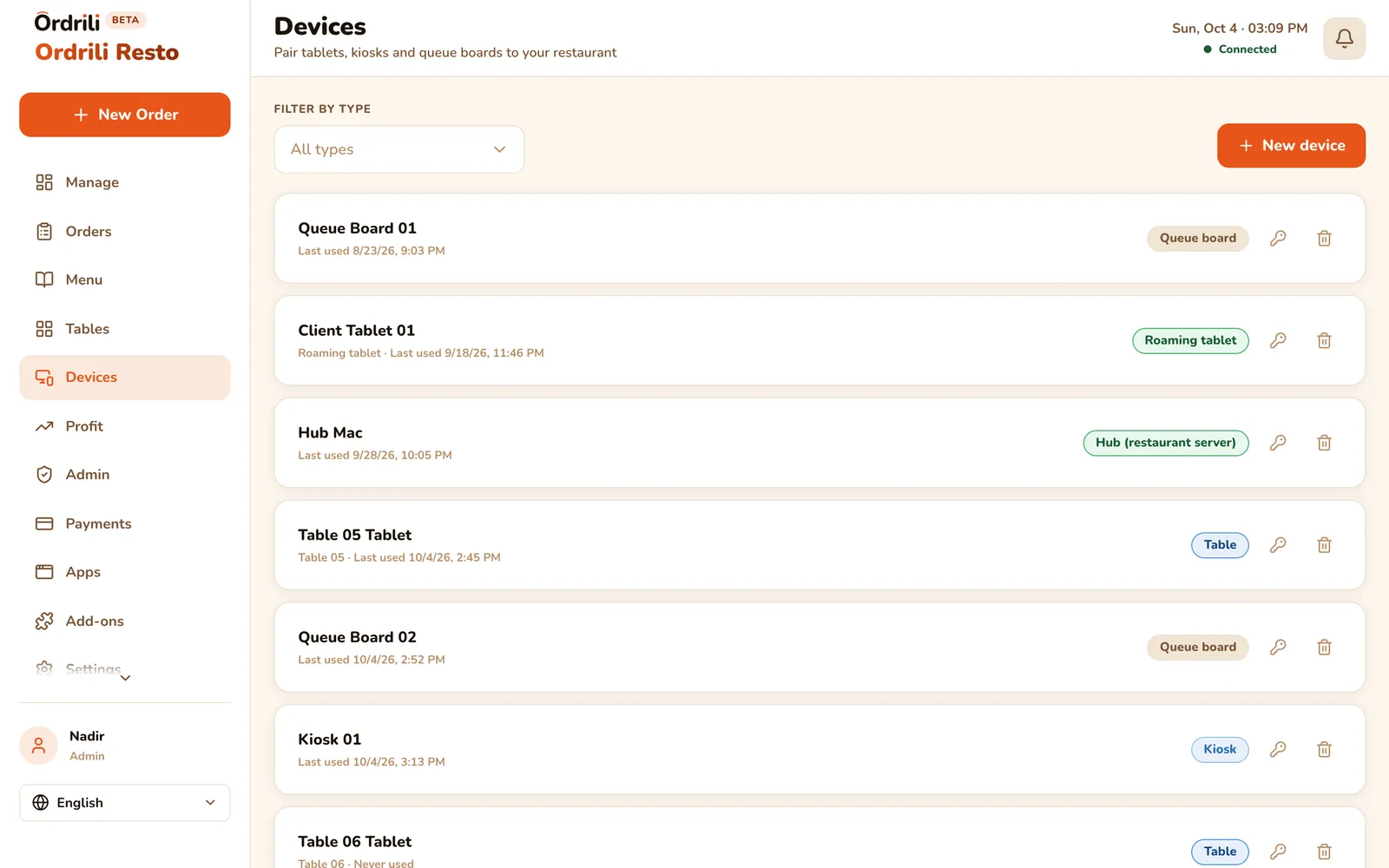
Tablets, the kiosk and staff screens find the Hub on your Wi-Fi.
Printing included
Bluetooth printers keep printing tickets during the cut.
Your menu stays current
Menu and staff changes made online reach the Hub on their own.
How it works
- 1
Set up the Hub
Install it on a computer that stays on in your restaurant, and connect it to your account.
- 2
Connect your devices
Tablets, kiosk and screens find the Hub on your Wi-Fi.
- 3
Work as usual
Online or offline, your team uses Ordrili the same way.
- 4
Back online
Everything syncs to the cloud automatically.
Questions about this feature
Only if internet cuts would stop your service. Without a Hub, Ordrili works online as usual.
A computer that stays on in your restaurant, connected to the same Wi-Fi as your tablets. We help you set it up.
No. The Hub needs to connect to the internet regularly to stay active and sync your data.
Ready to run a smoother service?
Tell us about your place and we’ll call you within 24 hours to set it up with you.
Prefer to talk first?